
LCM of Two Numbers (Practice Exercise)
Loading the math board and drawing, please wait…
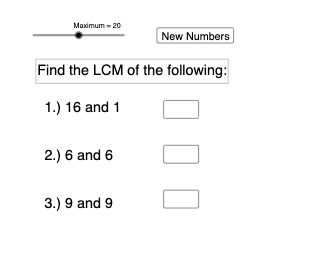
This example demonstrates how to calculate and display the Least Common Multiple (LCM) of two numbers using GeoGebra. It involves core math concepts like LCM calculation, random number generation, text display, and user input interaction. Key GeoGebra commands and objects used include Random, LCM, Textfield, InputBox, and button for calculation. Suitable for middle school and above students to understand and practice LCM concepts and calculations.
GeoGebra Commands & Parameters
Random(1, Maximum) → a1, 16Random(1, Maximum) → a2, 1Random(1, Maximum) → b1, 6Random(1, Maximum) → b2, 6Random(1, Maximum) → c1, 9Random(1, Maximum) → c2, 9LCM(a1, a2) → ans1LCM(b1, b2) → ans2LCM(c1, c2) → ans3Textfield(input1) → InputBox1Textfield(input2) → InputBox2Textfield(input3) → InputBox3
AI Drawing Prompt Reference
Create a math exercise demonstrating the calculation of the Least Common Multiple (LCM) of two numbers. Randomly generate three sets of different numbers, calculate the LCM for each set, and display these numbers and their LCM results in text boxes. Include three input boxes and corresponding calculation buttons for users to input any two numbers and display their LCM.
The prompt above was compiled from the original drawing commands and is for reference only.