
Kite Properties Demonstration
Loading the math board and drawing, please wait…
In collections
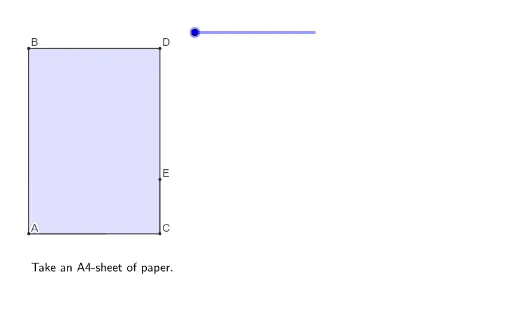
Folding paper, doing geometry figures
This example demonstrates the geometric properties of a kite, including perpendicular and bisecting diagonals, equal sides, and angle bisectors. Core concepts involve polygons, parallelograms, circles, rotations, line segments, and angles. Construction uses commands like Polygon, Point, Segment, CircleArc, Rotate, and Line to form the kite and highlight symmetry. Suitable for middle school and above students learning geometric constructions and understanding the relationship between kites and parallelograms.
GeoGebra Commands & Parameters
Polygon(A, C, D, B) → vierhoek1, a, c, d, bPoint(yAxis) → PSegment(B, E) → fCircleArc(B, DD, D) → ePolygon(B, A, C, E) → vierhoek2, b_1, a_1, c_1, e_1Polygon(B, E, D) → driehoek1, d_1, b_2, e_2Rotate(B, ((s - 1) * (-180°)), e_1) → B'Rotate(E, ((s - 1) * (-180°)), e_1) → E'Rotate(D, ((s - 1) * (-180°)), e_1) → D'Polygon(B', E', D') → driehoek1', d', b', e'Polygon(B, DD, E) → driehoek2, e_3, b_3, ddSegment(E, C) → gSegment(B, E) → hSegment(F, E) → iCircleArc(E, FF, C) → kPolygon(DD, A, F, E) → vierhoek3, dd_1, a_2, f_1, e_4Polygon(F, C, E) → driehoek3, e_5, f_2, c_2Rotate(F, (((-(s - 3)) * 180))°, f_1) → F'Rotate(C, (((-(s - 3)) * 180))°, f_1) → C'Rotate(E, (((-(s - 3)) * 180))°, f_1) → E'_1Polygon(F', C', E'_1) → driehoek3', e'_1, f', c'Polygon(B, DD, E) → driehoek4, e_6, b_4, dd_2Line(B, F) → jPolygon(F, E, DDE) → driehoek5, dde, f_3, e_7Segment(A, B) → lSegment(B, E) → mSegment(A, F) → nSegment(E, F) → pSegment(B, F) → r
AI Drawing Prompt Reference
Draw a kite shape to demonstrate its geometric properties, including perpendicular and bisecting diagonals, equal sides, and angle bisectors. Use rotations and symmetry to highlight the kite's symmetry, and include related arcs and triangles to emphasize the relationship between kites and parallelograms.
The prompt above was compiled from the original drawing commands and is for reference only.