
Kite Construction Template
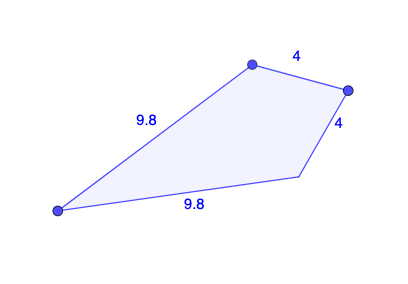
Loading the math board and drawing, please wait…
This example demonstrates how to construct a kite using GeoGebra. Key mathematical concepts include angles, straight lines, and symmetry. Construction highlights include using the Polygon command to create polygons and the Mirror command for symmetry operations. Suitable for middle school and above students learning geometric construction.
GeoGebra Commands & Parameters
Polygon(A, B, C) → t1, c, a, bMirror(A, a) → A'Mirror(B, a) → B'Mirror(C, a) → C'Polygon(A', B', C') → t1', c', a', b'Polygon(B, A, C, A') → q1, b_1, a_1, c_1, f
AI Drawing Prompt Reference
On a plane, start with three given points A, B, and C and draw a polygon using A, B, and C as its vertices. Choose a line a to act as the mirror axis. Reflect each of the points A, B, and C across the line a to obtain A', B', and C'. Draw another polygon using the reflected points A', B', and C'. Finally, form an additional polygon with vertices B, A, C, and A', arranging these points to produce a kite-like shape that exhibits symmetry with respect to the mirror line.
The prompt above was compiled from the original drawing commands and is for reference only.