
Kangaroo 2004
Loading the math board and drawing, please wait…
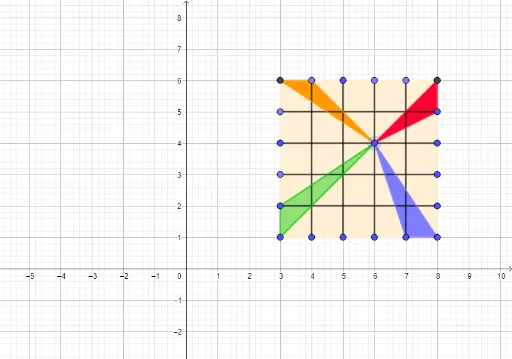
This example demonstrates the construction of geometric figures using polygons and line segments. It involves core mathematical concepts such as straight lines, trigonometry, numbers, natural numbers, and statistical characteristics. The construction utilizes commands and objects like Polygon, Point, and Segment from GeoGebra. It is suitable for high school students learning geometric constructions and introductory trigonometry.
GeoGebra Commands & Parameters
Polygon(K, E, 4) → poly1, f, g, h, i, L, MPoint(h) → NSegment(N, D) → jPoint(h) → OSegment(C, O) → kSegment(P, B) → lPoint(h) → QSegment(A, Q) → mPoint(i) → RSegment(R, I) → nSegment(H, S) → pPoint(i) → TSegment(T, G) → qSegment(F, U) → rPolygon(V, E, D) → t1, d, v, ePolygon(J, V, I) → t2, i_1, j_1, v_1Polygon(M, Q, V) → t3, v_2, m_1, q_1Polygon(K, V, U) → t4, u, k_1, v_3
AI Drawing Prompt Reference
Draw a geometric figure composed of multiple polygons and line segments, including a quadrilateral and several connecting points, demonstrating the use of straight lines and trigonometry. Start by drawing a quadrilateral, then connect one of its vertices to other key points to form multiple line segments, and build new polygons based on these segments to create a complex geometric structure.
The prompt above was compiled from the original drawing commands and is for reference only.