
Isosceles Trapezium (Trapezoid)
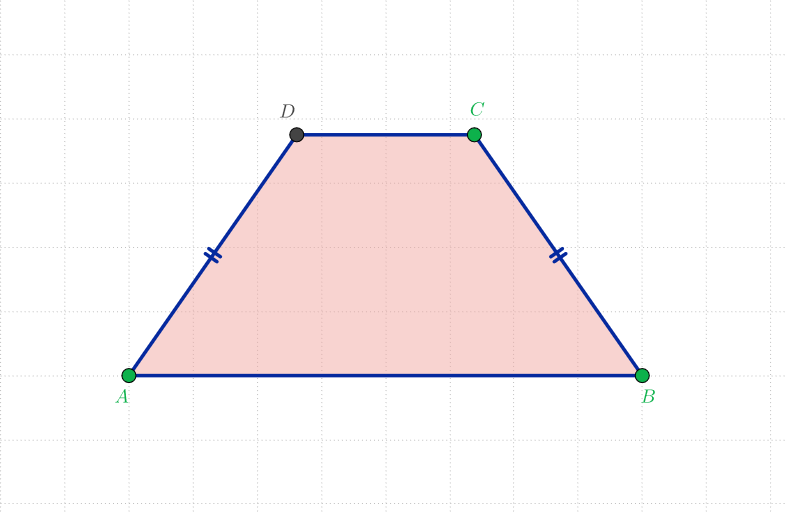
Loading the math board and drawing, please wait…
In collections
The GeoGebra's Toolbox for Teachers and Students
This example demonstrates the basic properties of an isosceles trapezium. It involves core math concepts in geometry and algebra. The construction points include using GeoGebra commands Segment, LineBisector, Intersect, Point, CircleArc, Mirror, and Polygon. This example is suitable for middle school or high school students to learn the basic concepts and properties of trapeziums.
GeoGebra Commands & Parameters
Segment(A, B) → aSegment(A, B) → fLineBisector(f) → gIntersect(g, f) → C_{1}Point(g) → D_{1}CircleArc(C_{1}, B, D_{1}) → cPoint(c) → CMirror(C, g) → DPolygon(A, B, C, D) → q1, a_1, b, c_1, d
AI Drawing Prompt Reference
Draw an isosceles trapezoid by first creating a base, then finding its perpendicular bisector. Locate the midpoint on the bisector and use it as a center to draw an arc that intersects the bisector at two points. Connect the base endpoints to these intersection points to form the trapezoid.
The prompt above was compiled from the original drawing commands and is for reference only.