
Investigate the Angle Sum of a Quadrilateral
Loading the math board and drawing, please wait…
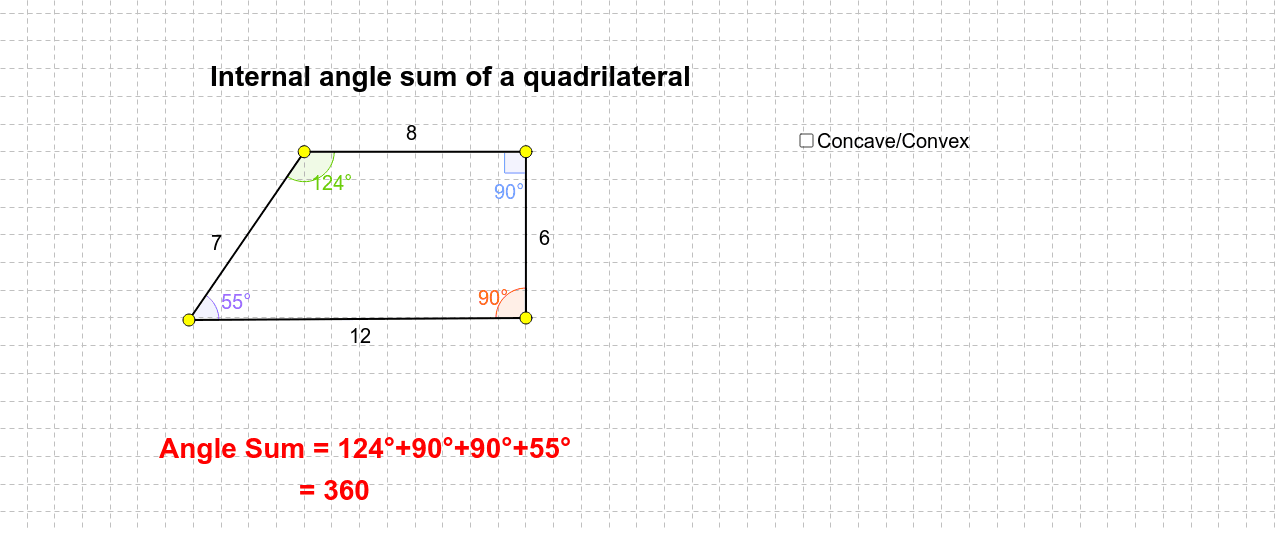
This example demonstrates how to dynamically explore the angle sum of any quadrilateral using GeoGebra. Key math concepts include polygons, angle measurement, and geometric transformations. Construction highlights involve commands like Polygon, Intersect, Angle, Segment, If, and PointIn. Suitable for middle school and above to understand the general theorem of quadrilateral angle sums.
GeoGebra Commands & Parameters
Polygon(A, B, C, D) → poly1, a, b, c, dIntersect(d, b) → FAngle(B, A, F) → ρAngle(F, B, A) → κAngle(C, D, F) → εAngle(F, C, D) → ζAngle(D, F, C) → ηAngle(A, F, B) → θAngle(B, A, D) → αAngle(C, B, A) → βAngle(A, D, C) → γAngle(D, C, B) → δSegment(A, C) → eSegment(D, B) → fIntersect(e, f) → EIf(E ≟ E, "Concave", "Convex") → text3PointIn(poly1) → Pointpoly1Intersect(a, c) → GAngle(B, F, A) → β2Angle(C, F, D) → λAngle(D, C, F) → μAngle(F, D, C) → φAngle(F, A, B) → ξAngle(A, B, F) → α1Angle(G, C, B) → ε1Angle(C, B, G) → ε2Angle(D, A, G) → ε3Angle(G, D, A) → ε4Angle(A, G, D) → ε5Angle(B, G, C) → ε6Angle(G, B, C) → γ1Angle(B, C, G) → γ2Angle(G, A, D) → γ3Angle(A, D, G) → γ4Angle(D, G, A) → γ5Angle(C, G, B) → γ6Angle(D, A, G) → θ1Angle(G, D, A) → θ2Angle(A, G, D) → θ3Angle(G, C, B) → θ4Angle(C, B, G) → θ5Angle(B, G, C) → θ6Angle(A, B, C) → ϕ1Angle(B, C, D) → ϕ2Angle(D, A, B) → ϕ4Angle(C, D, A) → ϕ3
AI Drawing Prompt Reference
Draw an arbitrary quadrilateral with two diagonals intersecting inside. Connect the intersection point to each vertex, dividing the quadrilateral into triangles. Also, pick a point on one side and connect it to a point on the opposite side, creating extra crossing segments. Label all angles formed by these segments, including interior angles, angles from diagonals, and angles from crossing lines. Add a text label indicating whether the quadrilateral is concave or convex, and place a point inside the quadrilateral.
The prompt above was compiled from the original drawing commands and is for reference only.