
Investigate Alternate Angles on Parallel Lines
Loading the math board and drawing, please wait…
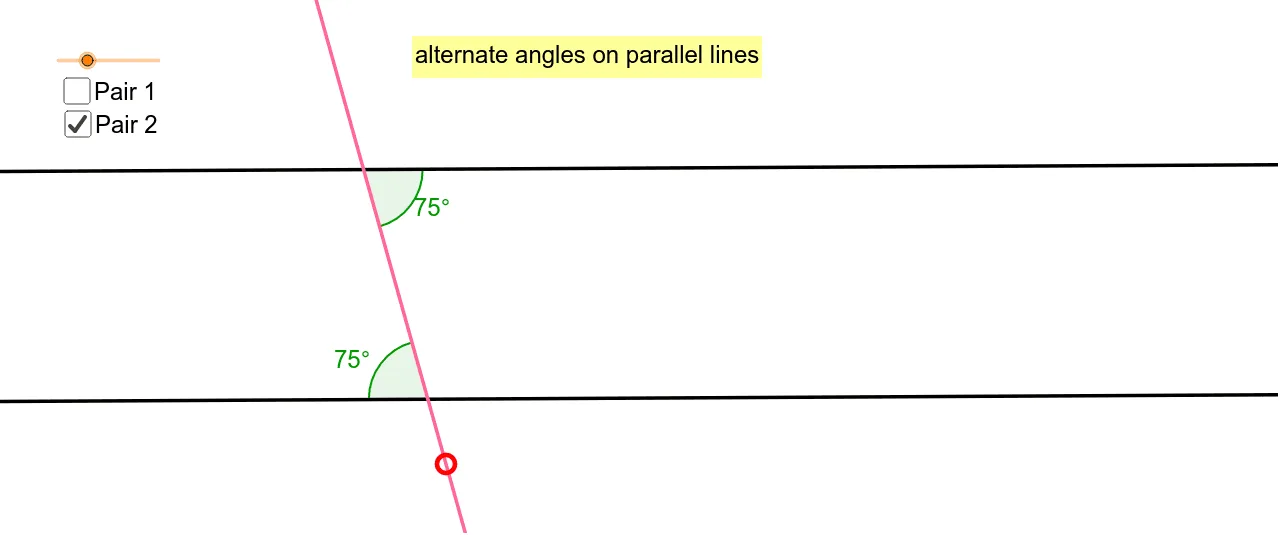
This interactive GeoGebra example lets students drag red points to explore the relationship between alternate angles formed when a transversal crosses two parallel lines. The core mathematical concept is the parallel lines theorem: alternate interior angles are equal, reinforcing angle measurement and comparison. The construction uses GeoGebra commands such as Line, Circle, Point, Intersect, Midpoint, and Angle, creating objects like lines f, a, b_1, c, d, e, points A, B, C, D, E, and angles α, β, γ, δ. By moving the points, the transversal changes position and the angle values update dynamically, allowing students to verify the property visually. This is suitable for middle school geometry lessons, self-study, or as a dynamic demonstration for teaching the alternate angles theorem.
GeoGebra Commands & Parameters
Line(A, B) → aCircle(A, f) → cPoint(c) → CLine(C, a) → dPoint(a) → DLine(D, E) → eIntersect(d, e) → FMidpoint(D, F) → GPoint(a) → HPoint(d) → IPoint(d) → JPoint(a) → KAngle(I, F, G) → αAngle(G, D, H) → βAngle(G, F, J) → γAngle(K, D, G) → δ
AI Drawing Prompt Reference
Draw two parallel lines and a transversal crossing them. Mark the intersection points and calculate the angles formed. Drag the points on the transversal to observe and verify the equality of alternate interior and corresponding angles.
The prompt above was compiled from the original drawing commands and is for reference only.