
Intro: Translations in the Coordinate Plane
Loading the math board and drawing, please wait…
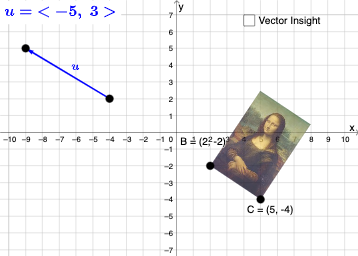
This example demonstrates how to perform geometric translations in the coordinate plane. Core math concepts include coordinates, geometric transformations, vectors, linear equations, and line segments. Construction highlights the use of GeoGebra commands like Vector, Rotate, CircleArc, Circle, Line, Mirror, Dilate, Textfield, Intersect, and Angle, along with objects like δ, C, A, B, pic1, button1, D, E, u, α, C'_1, c, d, e, F, G, f, pic1'_2, B'_2, C'_2, k, pic1'_3, B'_3, C'_3, a, b, g, h, text1, text2, β, γ, i, j, B'_1, pic1'_1, p, r, InputBox1, InputBox2. Suitable for middle school and above students learning geometric transformations and vectors.
GeoGebra Commands & Parameters
Vector(D, E) → uRotate(C, δ, A) → C'_1CircleArc(A, C'_1, C) → cCircleArc(A, C, C'_1) → dCircle(A, C) → eLine(F, G) → fMirror(pic1, f) → pic1'_2Mirror(B, f) → B'_2Mirror(C, f) → C'_2Dilate(pic1, k, A) → pic1'_3Dilate(B, k, A) → B'_3Dilate(C, k, A) → C'_3Rotate(B, δ, A) → B'_1Rotate(pic1, δ, A) → pic1'_1Circle(A, C) → pCircleArc(A, C'_1, C) → rTextfield(δ) → InputBox1Textfield(k) → InputBox2Intersect(q, eq1) → HVector(D, H) → wVector(H, E) → lAngle(D, H, E) → ε
AI Drawing Prompt Reference
Draw a coordinate plane figure with points A, B, C, and D, and arcs and circles passing through these points. Use vector u to represent the vector from D to E. Rotate point C around A to get C'_1 and draw arcs c and d. Use line f to mirror picture pic1 into pic1'_2, and mirror points B and C to get B'_2 and C'_2. Perform a similarity transformation around A to get pic1'_3, B'_3, and C'_3. Rotate point B around A to get B'_1, and rotate picture pic1 to get pic1'_1. Draw circle p and arc r, input angle δ and k, and rotate to get angle ε.
The prompt above was compiled from the original drawing commands and is for reference only.