
Interval Notation Quiz Generator: Single Sets & Conjunctions
Loading the math board and drawing, please wait…
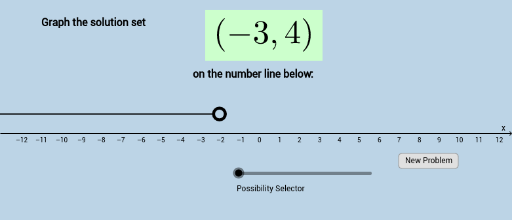
This GeoGebra example demonstrates how to graph solution sets written in interval notation on a number line, covering single sets and conjunctions (intersections) through an interactive quiz question generator. Core mathematical concepts include interval notation, inequality solution sets, bounded and unbounded intervals, open and closed endpoints, and set intersection on the real number line. The construction relies on GeoGebra commands Segment and Ray to draw finite segments and infinite rays representing solution sets, combined with the Random command to generate varied quiz items. Objects involved include points A through F, functions f and g, parameters a, b, c, d, n, and numerous text labels and buttons such as text1, text3, button1, and button2 that form the quiz interface. It is suitable for middle school and high school algebra instruction, interval notation practice, inequality graphing exercises, and self-assessment.
GeoGebra Commands & Parameters
Segment(A, B) → gSegment((x(A) + 0.3, 1), (x(B) - 0.3, 1)) → jRay((x(A) - 0.3, 1), (x(D), y(D))) → iRay((x(B) + 0.3, 1), (x(C), y(C))) → hRay((x(A) + 0.3, 1), (x(C), y(C))) → kRandom(-10, 9) → aaRandom(aa + 1, 10) → bbRandom(1, 8) → nn
AI Drawing Prompt Reference
Draw a number line to represent an interval set. First, draw a line segment between points a and b, then draw a ray to the left of point a and another ray to the right of point b. Points a and b are randomly generated integers, with a ranging from -10 to 9 and b ranging from a+1 to 10.
The prompt above was compiled from the original drawing commands and is for reference only.