
Intersection Line of Three Planes
Loading the math board and drawing, please wait…
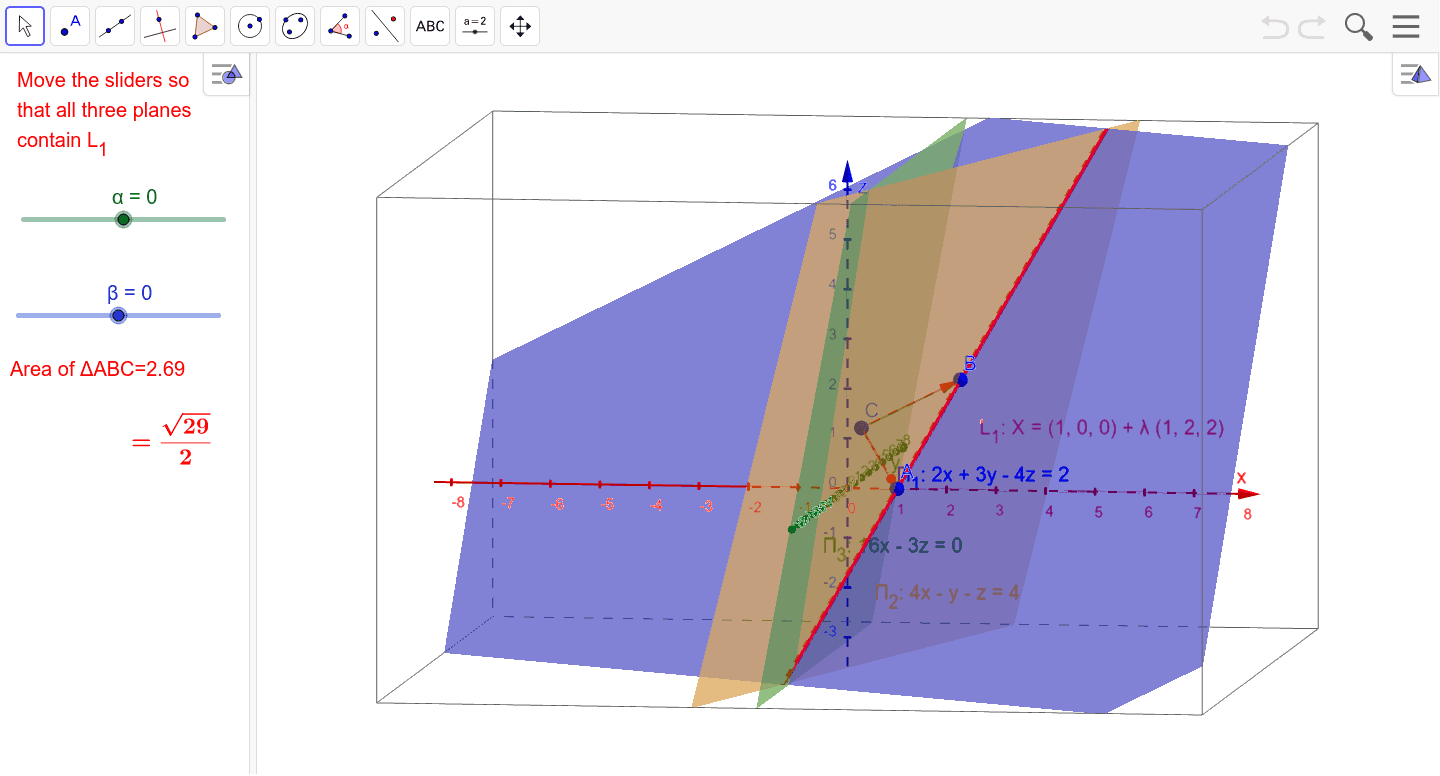
This example demonstrates the line of intersection of three planes in 3D space. Key math concepts include spatial geometry, plane equations, vector cross product, and parametric equations. GeoGebra commands/objects used in construction are Vector, Polygon, LaTeX, Line, and Area. Suitable for high school and above students learning spatial analytical geometry, vectors, and parametric equations.
GeoGebra Commands & Parameters
Vector(C, A) → uVector(C, B) → vPolygon(C, A, B) → poly1, b, c, aLaTeX(Π_1, true, true) → text1Vector((1, 2, 2)) → wLine(A, w) → L_1Area(poly1) → d
AI Drawing Prompt Reference
Draw the line of intersection of three planes. First, create points C, A, and B, then form a triangle using these points. Next, create vectors u and v from C to A and B, respectively. Use vector u and w to create line L1, where w is the vector (1, 2, 2). Finally, calculate the area of the triangle.
The prompt above was compiled from the original drawing commands and is for reference only.