
Interactive Supplementary Angles Solver with Angle Relationships
Loading the math board and drawing, please wait…
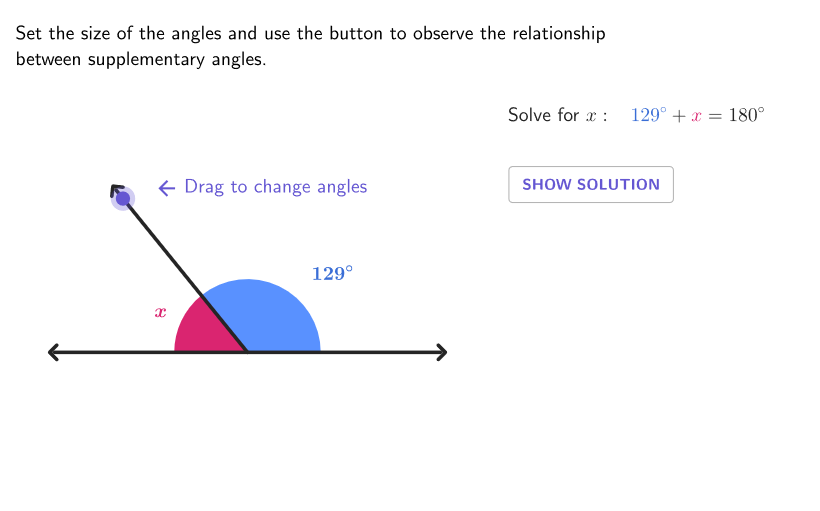
This GeoGebra activity demonstrates a step-by-step process to determine the measure of a supplementary angle on an interactive diagram. Students explore how unknown angle values can be found by using the defining property that supplementary angles sum to 180° and by relating them to common angle relationships such as linear pairs (adjacent angles on a straight line). The construction is built around key geometry objects and measurements: Intersect is used to create intersection points (e.g., A, B, P, G), Sequence and Point help generate the needed labeled points, UnitVector supports directed/defined directions for angle construction, and Angle objects (with labels like β and γ) compute and display the relevant angle measures. Segment is used to form the angle sides, and text elements show the questions and computed solution values. Suitable for Grades 6–8 as an interactive drill and deeper-connections activity focused on supplementary/linear-pair angle reasoning.
GeoGebra Commands & Parameters
Intersect(xAxis, yAxis) → ASequence(Rotate[B, (t * pi / 180), A], t, 5, 180) → pGridPoint(pGrid) → PUnitVector(AngularBisector[P, A, (-B)]) → versPinkAngle(B, A, P) → βAngle(P, A, (-B)) → γSegment(A, P) → sidePSegment(A, B) → rightSSegment(P, G) → tipPcirclePixels(P, 7 + (7 * pulsing), Corner[1], Corner[3], Corner[5]) → pulsingObjectSegment(A, (-B)) → leftS
AI Drawing Prompt Reference
Draw a right triangle with two perpendicular sides. One side intersects the horizontal line, and the other intersects the vertical line. Mark a point inside the triangle and draw a perpendicular line from that point to one of the sides. Ensure the triangle and perpendicular line are correctly positioned to illustrate angle relationships.
The prompt above was compiled from the original drawing commands and is for reference only.