
Integer Comparison Practice Tool
Loading the math board and drawing, please wait…
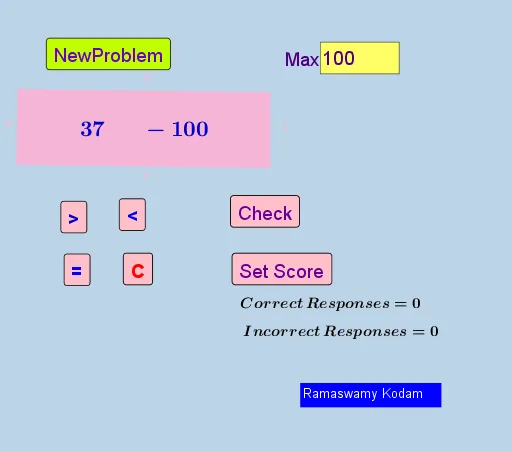
This GeoGebra example demonstrates how to build an interactive integer comparison practice tool. ① The program randomly generates two integers and asks learners to determine their size relationship; ② The core mathematical concept involves integer comparison and inequality expression, including positive/negative numbers, absolute values, and sign determination; ③ Construction details: Use RandomElement and Random commands to generate random integers, If condition statements to compare values, Textfield and InputBox for user input, buttons to control question regeneration and answer verification, and Polygon for visual elements; ④ Suitable for upper elementary to middle school mathematics classes, ideal for practicing integer comparison, inequality concepts, or as an introduction to combining programming with mathematics.
GeoGebra Commands & Parameters
RandomElement(l1) → signARandom(1, max) → aRandomElement(l1) → signBRandom(1, max) → bRandomElement(l1) → text3If(signA ≟ "+", a, (-a)) → a'If(signB ≟ "+", b, (-b)) → b'If(a' < b', "<", If[a' > b', ">", "="]) → SymbolTextfield(max) → InputBox1Polygon(E, F, G, H) → q1, e, f_1, g, h
AI Drawing Prompt Reference
Design an interactive integer comparison practice tool. The tool randomly generates two integers and asks users to determine their size relationship. The graphic includes a random integer display area, a user input box, and a comparison result display area. Users can input integers, and the tool automatically calculates and displays the comparison result (greater than, less than, or equal). The tool also provides buttons to regenerate questions or verify answers. The graphic should be simple and clear, suitable for elementary and middle school mathematics teaching to help students practice integer comparison and inequality concepts.
The prompt above was compiled from the original drawing commands and is for reference only.