
Reverse Operations to Solve Linear Equations: Interactive Practice
Loading the math board and drawing, please wait…
In collections
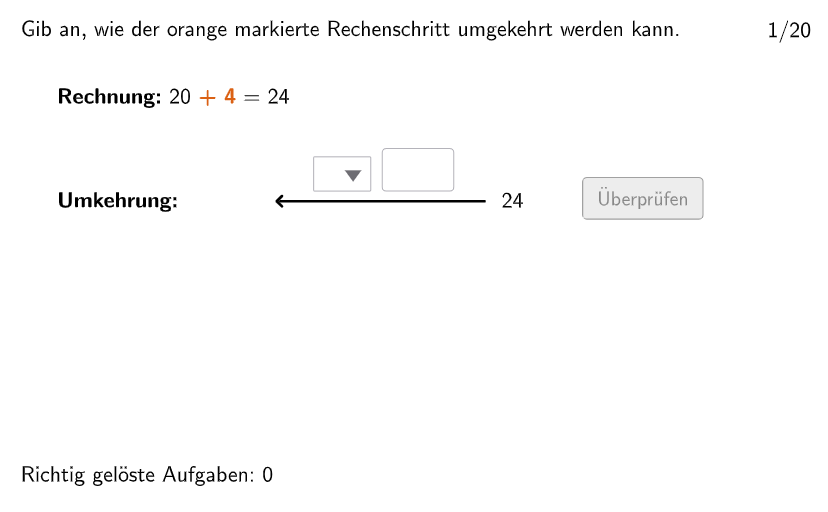
Gleichungen lösen mit Umkehroperationen
① This interactive GeoGebra exercise for grades 5-6 generates random linear equations and asks students to solve them by reversing arithmetic operations. ② The core mathematical concept is solving linear equations (e.g., ax + b = c) through inverse operations, emphasizing step-by-step simplification and algebraic reasoning. ③ Construction highlights: commands such as Sequence, Shuffle, Element generate randomized questions and answer choices; Textfield and InputBox capture student responses; If and SelectedIndex control validation; Midpoint, Segment, and Text build the visual feedback; Invert may be used to flip operation signs. ④ Suitable for upper elementary (grades 5-6) or early middle school algebra, this resource supports classroom practice, homework, or self-study, helping students master equation-solving strategies.
GeoGebra Commands & Parameters
Join({1…5, Shuffle[6…20]}) → ReihenfolgeSelectedIndex(dropdown1) → indexdd1Sequence(If[TaskSignList(k) ≟ 1, 2, TaskSignList(k) ≟ 2, 1, TaskSignList(k) ≟ 3, 4, TaskSignList(k) ≟ 4, 3], k, 1, 20) → UTaskSignListTextfield(input1) → InputBox1Textfield(input2) → InputBox2Shuffle(1…numberOfQuestions) → randomQuestions, {16, 20, 11, 2, 19, 15, 8, 5, 9, 17, 12, 14, 4, 10, 3, 7, 13, 6, 1, 18}Textfield(input) → inputBoxElement(randomQuestions, Mod[questionCount - 1, Length[randomQuestions]] + 1) → randomQuestionSequence(ParseToNumber[((((Text[Number1List(k)] * "") * Element[SignList, TaskSignList(k)]) * "") * Text[Number2List(k)])], k, 1, 20) → Number3ListElement(SignTextList, TaskSignList(question)) → txtSignMidpoint(Corner[txt02, 3], Corner[txt02, 2] + (3.5, 0.05)) → PosSegSegment(PosSeg, PosSeg + (segLength, 0)) → segInvert(pixMat) → invPixMatSelectedIndex(dropdown2) → indexdd2Segment(PosSegSol, PosSegSol + (segLength, 0)) → segSolText((((("\textsf{" * SignTextList(UTaskSignList(question))) * " ") * ReplaceAll[Text[number2], ".", ","]) * "}"), Midpoint[segSol], false, true, 0, 1) → txtSolution3If(validate ∧ correct, Midpoint[seg] + (0, -1.5), Midpoint[segSol] + (0, -1)) → PosEqText(txtSolution4, PosEq, false, true, 0, 0) → txtSolution5Text(txtFeedback, Midpoint[seg] + (0, -0.35), false, true, 0, -1) → txtFB
AI Drawing Prompt Reference
Draw a coordinate-plane layout with two parallel horizontal segments: one represents the current step, and another above it represents the solution step. Place text elements at the segments to show an equation-involving expression: a displayed sign or operation marker plus two numbers on the left and the right side, formatted as a single equation line. Provide input text boxes near the equation area for the student’s response. Add a separate feedback text region beneath the current segment to display a simplification result or guidance. Align the solution text to the midpoint of the solution segment and keep the feedback text below the current segment.
The prompt above was compiled from the original drawing commands and is for reference only.