
Division Problems with Remainders: Friendship Bracelet Activity
Loading the math board and drawing, please wait…
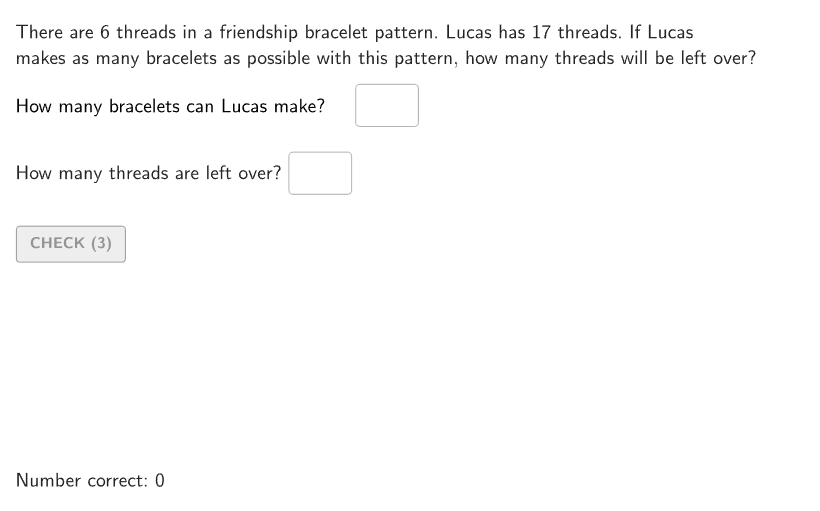
① This GeoGebra example demonstrates solving division problems with remainders through a friendship bracelet making scenario, helping students interpret what the remainder means in real-world contexts. ② Core math concepts include division, remainders, and interpreting remainders relative to the original problem (e.g., leftover beads, need for extra bracelets). ③ Construction highlights: uses commands such as Shuffle, Element, Sequence, Mod to generate random problems; Textfield and InputBox for answer entry; Polygon and Corner to build the bracelet template; Zip and Slider for variable control; scripts (scriptFixAllText, scriptEmptyInputBoxes) enable interactive validation and hints. ④ Suitable for grades 4-5, this resource supports practice with division remainder word problems, enhancing problem-solving skills and mathematical communication, and can be used in classroom activities or as homework.
GeoGebra Commands & Parameters
Shuffle({11, 13, 17, 19, 23, 29}) → randomY, {17, 23, 19, 13, 11, 29}Shuffle(Sequence[15]) → randomList2, {8, 7, 5, 14, 1, 4, 2, 12, 15, 3, 11, 13, 6, 9, 10}Shuffle(Sequence[20]) → randomList1, {2, 6, 16, 7, 20, 4, 5, 18, 10, 1, 12, 17, 9, 14, 11, 8, 19, 15, 3, 13}Shuffle(Sequence[2, 8]) → randomX, {6, 4, 5, 3, 7, 2, 8}Element(randomY, Mod[countQuestion, Length[randomY]] + 1) → yValElement(randomX, Mod[countQuestion, Length[randomX]] + 1) → xValSequence(AnchorHint + (((braceletWidth + (3 * stringGap)) * A), 0), A, 0, numBracelets - 1) → allAnchorsMod(yVal, xVal) → remainderElement(randomList2, Mod[countQuestion, 15] + 1) → randomNum2Element(randomList1, Mod[countQuestion, 20] + 1) → randomNum1Textfield(inputA) → InputBox1Textfield(inputB) → InputBox2Polygon(Zip[PixelsToPoint[Corner[1], Corner[3], Corner[5], A], A, {(pixelsLeft, pixelsTop), (pixelsLeft, y(Corner[5]) - pixelsBottom), Corner[5] - (pixelsRight, pixelsBottom), (x(Corner[5]) - pixelsRight, pixelsTop)}]) → borderBoxCorner(5) → layoutAppSizeShuffle(Sequence[5]) → randomNameIndex, {5, 1, 3, 2, 4}Element({"Klaudia", "Suzanne", "Franklyn", "Dejan", "Lucas"}, Element[randomNameIndex, Mod[countQuestion, Length[randomNameIndex]] + 1]) → namePolygon({(0, 0), (braceletWidth, 0), (braceletWidth, 3), (0, 3)}) → braceletTemplate_{1}Zip(Sequence[Segment[(x(B) + A, y(B)), (x(B) + A, y(B) - 2)], A, 0, braceletWidth, stringGap], B, allAnchors) → threadHintSequence(Segment[(x(RemainderPosition) + A, y(RemainderPosition) - 2), (x(RemainderPosition) + A, y(RemainderPosition) + 5)], A, 0, ((remainder - 1) * stringGap), stringGap) → remainderThreadsZip(Translate[braceletTemplate, A], A, allAnchors) → showBracelets
AI Drawing Prompt Reference
Create a visual representation of a math problem involving making friendship bracelets to demonstrate division with remainders. Randomly generate total bead counts and beads per segment, using different colored and shaped beads to represent remainders and complete sections. Include sliders to adjust quantities, show calculation steps, and provide answer input boxes. Display multiple arranged bracelets to clearly illustrate the practical meaning of remainders.
The prompt above was compiled from the original drawing commands and is for reference only.