
Multiplication Fact Generator with Randomized Practice
Loading the math board and drawing, please wait…
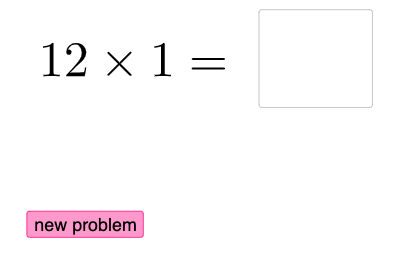
This example demonstrates how to build a randomized multiplication-fact practice panel in GeoGebra, where new multiplication questions can be generated and presented for quick checking and repetition. The main math idea is multiplication facts (products from the multiplication table), reinforced through random selection to improve coverage and fluency. Key construction concepts include conditional logic (using If for branching), user input and display components, and text-based feedback. From the provided construction summary, it uses Random to generate values, Textfield and InputBox1 to show or accept data, If to decide what to display based on conditions, button1 to trigger the workflow, and objects text1/text2/text3 to present the question, prompts, and results. Suitable for primary-to-lower-secondary learners and classroom activities focused on multiplication table mastery and interactive drill.
GeoGebra Commands & Parameters
Random(1, 12) → aRandom(1, 12) → bTextfield(d) → InputBox1If(d > c, "Too high!", d < c, "Too low!") → text3
AI Drawing Prompt Reference
Create a random multiplication practice panel. The panel displays a multiplication problem with two random numbers and provides feedback prompts. Users can input numbers, and the program will judge correctness and give appropriate prompts. The panel is designed simply, suitable for classroom practice, helping students reinforce multiplication table knowledge.
The prompt above was compiled from the original drawing commands and is for reference only.