
Input Box and Composite Functions
Loading the math board and drawing, please wait…
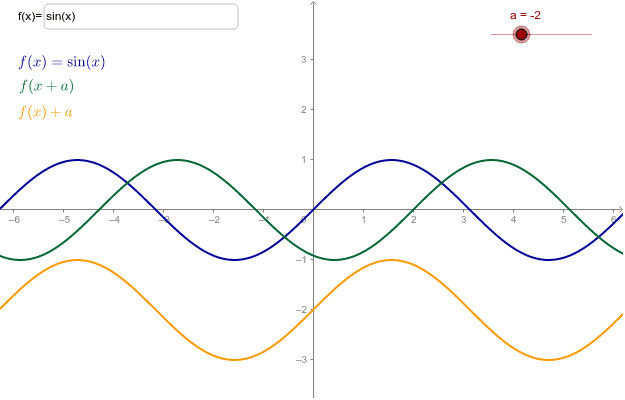
This example demonstrates dynamically inputting functions via an input box to observe changes in composite function graphs. Core math concepts include functions, composite functions, and function graph transformations. Construction highlights involve using the Textfield command for input boxes and text objects, with objects like f, a, g, h, inputBox1, text1, text2, text3. Suitable for high school and above students learning function composition and graph transformations.
GeoGebra Commands & Parameters
Textfield(f) → inputBox1
AI Drawing Prompt Reference
Create a graphing demonstration with an input box where users can type a function expression. Display the graph of the entered function and its composite function with another function, showing how the composite graph changes dynamically. Include text labels near the graphs to indicate the original function, the composite function, and the input box. The layout should be clean and educational, suitable for teaching function composition and graph transformations.
The prompt above was compiled from the original drawing commands and is for reference only.