
Infinite Zoom on a Mystery Curve: Parametric Iteration & Limit View
Loading the math board and drawing, please wait…
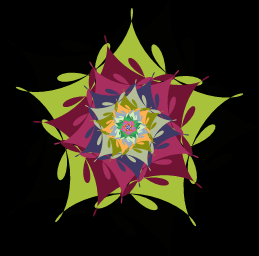
This example demonstrates how to perform an infinite-style zoom on a “mystery curve” using an iterative parameter-driven construction, so that the viewer can observe repeated local structure and a limit-like (often self-similar/convergent) behavior through animation. Key mathematical ideas include parametric curve visualization (CurveCartesian), controlling refinement/iteration with a Sequence, building geometry from polygonal vertices (Polygon), and using vectors/coordinated quantities with scaling factors to implement zoom via transformations (Vector/Transformation viewpoint). The construction follows the provided GeoGebra elements: curveMystery is created with CurveCartesian; iterative points are generated via Sequence (points and intermediate variables such as w1, w2, w3); Polygon is used to define the key geometric pieces; Zip groups related objects for coordinated updates; and exponent/power structures (exponents) together with a zoom factor (factorZoom) organize the repeated scaling. The interactive controls (time, angle(s), Speed, a, and buttons) animate the zoom. Suitable for high school to early university students for visualizing limit intuition, iterative processes, and parametric geometry/graphing.
GeoGebra Commands & Parameters
CurveCartesian(fx(t), fy(t), t, 0, (2 * π)) → curveMysterySequence(curveMystery(k), k, 0, (2 * π), (2 * π / 350)) → pointsSequence(t, t, 0, totalFigures - 1) → exponentsPolygon(points) → FigInitialSequence((angle / totalFigures * (t - time)), t, 1, totalFigures) → anglesZip(Rotate[Dilate[FigInitial, factorZoom^(t - time)], ang], t, exponents, ang, angles) → FiguresElement(Figures, 1) → Fig1Element(Figures, 2) → Fig2Element(Figures, 3) → Fig3Element(Figures, 4) → Fig4Element(Figures, 5) → Fig5Element(Figures, 6) → Fig6Element(Figures, 7) → Fig7Element(Figures, 8) → Fig8Element(Figures, 9) → Fig9Element(Figures, 10) → Fig10Element(Figures, 11) → Fig11Element(Figures, 12) → Fig12Element(Figures, 13) → Fig13Element(Figures, 14) → Fig14Element(Figures, 15) → Fig15Element(Figures, 16) → Fig16Element(Figures, 17) → Fig17Element(Figures, 18) → Fig18Element(Figures, 19) → Fig19Element(Figures, 20) → Fig20Element(Figures, 21) → Fig21Element(Figures, 22) → Fig22Element(Figures, 23) → Fig23Element(Figures, 24) → Fig24Element(Figures, 25) → Fig25Element(Figures, 26) → Fig26
AI Drawing Prompt Reference
This is an infinite zoom on a mystery curve. The graph consists of iteratively generated points driven by parameters. Key objects include a mystery curve, an initial figure, and multiple scaled figures. The construction order is to first create the mystery curve, then generate iterative points, then build the initial figure from these points, and finally display scaled and rotated figures sequentially. The animation allows observation of local structure and limit behavior.
The prompt above was compiled from the original drawing commands and is for reference only.