
Inertia Tensor and Eigenvectors (3D Visual Demo)
Loading the math board and drawing, please wait…
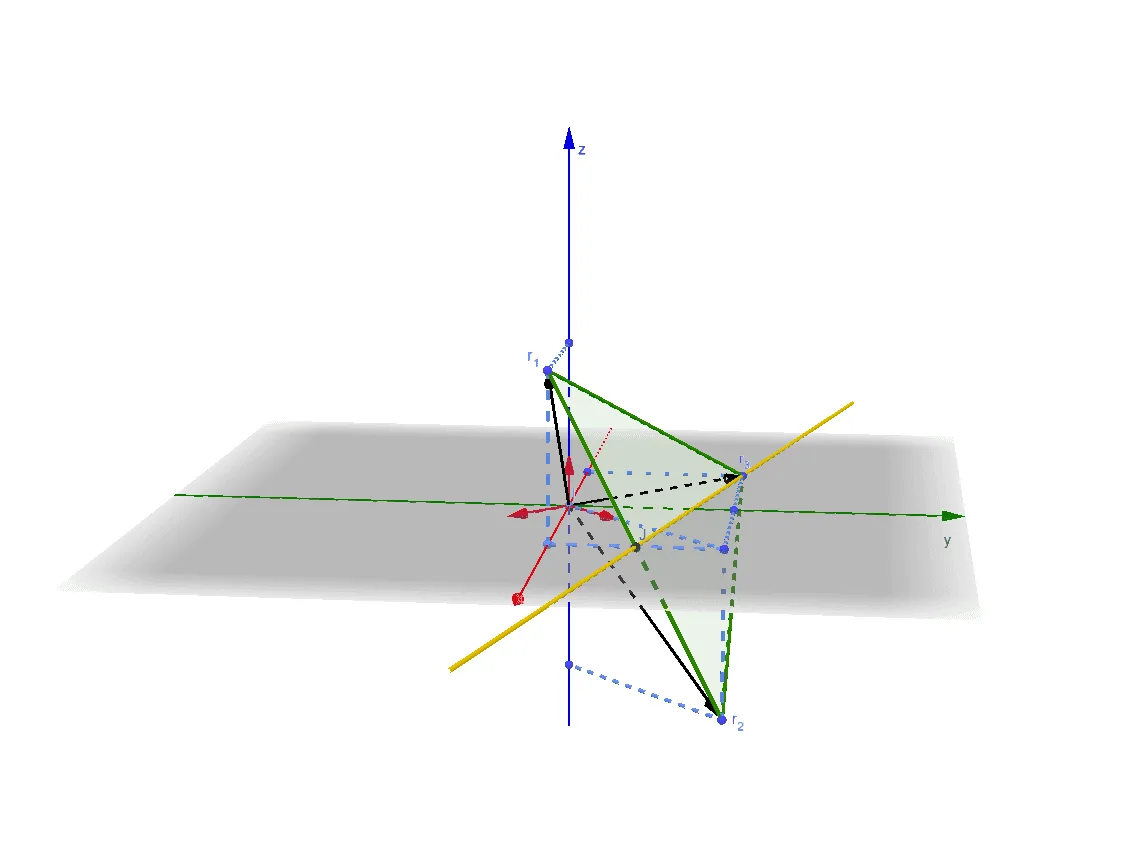
This example visualizes how an inertia tensor identifies the principal directions of a 3D object: the rotation-related behavior along different axes is governed by the eigenvectors (the principal axes). It connects geometry with linear algebra by illustrating that for symmetric shapes, meaningful directions emerge from the tensor’s spectral properties. The core concepts include the inertia tensor, eigenvalues/eigenvectors, and the diagonalization viewpoint that links algebraic structure to geometric orientation. Construction-wise, it uses Polygon to form the key boundaries/sections of the solid representation, Line to define the candidate axis directions, Intersect to compute crucial intersection points, and Point/Segment to organize the geometry. Vector is used to represent oriented quantities and direction data, while Midpoint helps locate symmetric or central positions needed for a consistent geometric setup. Suitable for high-school to early university learners studying linear algebra, 3D geometry, and modeling; also useful for courses or self-study focused on eigen-decomposition, symmetry, and vector-based geometric reasoning.
GeoGebra Commands & Parameters
Polygon(r_3, r_1, r_2) → t1, b, c, aIntersect(yAxis, zAxis) → AVector(A, r_1) → uVector(A, r_2) → vVector(A, r_3) → wSegment(D, r_1) → fPoint(xAxis) → GSegment(r_1, G) → gSegment(F, r_2) → hSegment(r_3, E) → iSegment(r_3, C) → jSegment(H, G) → kSegment(C, H) → lSegment(H, r_2) → mPoint(xAxis) → ISegment(I, H) → nVector(I, K) → eVector(I, L) → qVector(I, M) → rMidpoint(r_2, r_1) → JLine(r_3, J) → p
AI Drawing Prompt Reference
Draw a 3D solid with a triangular face defined by three vertices. From the origin of the coordinate axes, draw three vectors pointing to these vertices to represent principal directions. Place several points on the coordinate axes and connect them with segments to the triangle vertices or interior points, forming auxiliary support lines. Take the midpoint of one edge of the triangle and draw a line through it and the opposite vertex as a reference axis. From another point on an axis, draw multiple vectors in different directions to indicate tensor effects. The overall composition shows the solid combined with direction vectors and auxiliary segments.
The prompt above was compiled from the original drawing commands and is for reference only.