
Incircle Extension 2 = GoGeometry Action 133
Loading the math board and drawing, please wait…
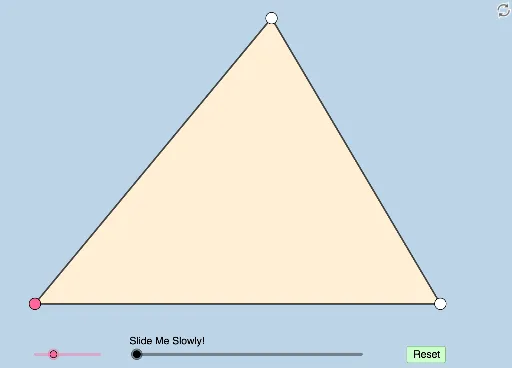
This dynamic and modifiable illustration demonstrates an incircle extension problem proposed by Antonio Gutierrez. It involves trigonometric functions and equations. Using GeoGebra commands such as Rotate, Angle, Segment, Ray, Point, Polygon, Intersect, and more, complex geometric shapes can be constructed. Suitable for high school mathematics education, particularly in coordinate geometry and trigonometry.
GeoGebra Commands & Parameters
Rotate(A, (a * π / 180), B) → A'Angle(A, B, A') → αSegment(B, A) → fRay(B, A') → gPoint(g) → CSegment(A, C) → hSegment(B, C) → iPolygon(B, A, C) → t1, c, b, a_1Angle(C, A, B) → βAngle(B, C, A) → γRotate(C, β / 2, A) → C'Angle(C, A, C') → δRotate(A, α / 2, B) → A'_1Angle(A, B, A'_1) → εRotate(B, γ / 2, C) → B'Angle(B, C, B') → ζRay(B, A'_1) → jRay(A, C') → kRay(C, B') → lIntersect(j, k) → DMin({i, f, h}) → dCircle(B, (0.2 * d)) → eCircle(A, (0.2 * d)) → pCircle(C, (0.2 * d)) → qOrthogonalLine(D, f) → mOrthogonalLine(D, h) → nOrthogonalLine(D, i) → rIntersect(m, f) → EIntersect(n, h) → FIntersect(r, i) → GIntersect(e, j, 1) → HIntersect(p, k, 1) → IIntersect(p, h, 1) → JIntersect(e, f, 1) → KIntersect(q, i) → L,Intersect(q, l, 1) → MRotate(K, If[1 < o ≤ 2, ((o - 1) * ε), ε], B) → K'Dilate(B, If[0 < o ≤ 1, 1 - o, 0], D) → B'_1Segment(B, B'_1) → sCircleSector(B, K, K') → tRotate(t, If[3 < o ≤ 4, ((o - 3) * ε), ε], B) → t'Dilate(A, If[4 < o ≤ 5, 5 - o, 0], D) → A'_2Segment(A, A'_2) → f_1Rotate(J, If[5 < o ≤ 6, ((o - 5) * δ), δ], A) → J'CircleSector(A, J, J') → c_1Rotate(c_1, If[7 < o ≤ 8, ((o - 7) * δ), δ], A) → d_1Dilate(C, If[8 < o ≤ 9, 9 - o, 0], D) → C'_1Segment(C, C'_1) → h_1Rotate(L, If[9 < o ≤ 10, ((o - 9) * ζ), ζ], C) → L'CircleSector(C, L, L') → e_1Rotate(e_1, If[11 < o ≤ 12, ((o - 11) * ζ), ζ], C) → k_1Dilate(D, If[13 < o ≤ 14, 14 - o, 0], E) → D'Dilate(D, If[14 < o ≤ 15, 15 - o, 0], F) → D'_1Dilate(D, If[15 < o ≤ 16, 16 - o, 0], G) → D'_2Segment(D, D') → i_1Segment(D, D'_1) → j_1Segment(D, D'_2) → l_1Angle(D, E, B) → ηAngle(D, F, A) → θAngle(D, G, C) → ιAngle(E, D, F) → κAngle(F, D, G) → λRotate(D, If[17 < o ≤ 18, ((o - 17) * κ), κ], D) → D'_3Rotate(D', If[17 < o ≤ 18, ((o - 17) * κ), κ], D) → D''Segment(D'_3, D'') → m_1Rotate(D'_3, If[18 < o ≤ 19, ((o - 18) * λ), λ], D) → PRotate(D'', If[18 < o ≤ 19, ((o - 18) * λ), λ], D) → D'''Segment(P, D''') → n_1Rotate(G, If[19 < o ≤ 21, ((o - 19) * π), (2 * π)], D) → G'CircleArc(D, G, G') → p_1Circle(D, E) → q_1Line(G, F) → g_1Line(B, D) → r_1Circle(G, 1) → c_2Circle(F, 1) → d_2Intersect(c_2, g_1) → T, UIntersect(d_2, g_1) → V, WRay(F, W) → f_2Dilate(G, If[26 < o ≤ 27, 27 - o, 0], F) → G'_1Segment(G, G'_1) → g_2Line(G, F) → s_1OrthogonalLine(E, s_1) → t_1Intersect(s_1, t_1) → NDilate(E, If[27 < o ≤ 28, 28 - o, 0], N) → E'Segment(E, E') → h_2Segment(G, N) → b_1Segment(N, F) → i_2Min(b_1, i_2) → uAngle(E, N, F) → μCircle(N, (0.6 * u)) → e_2Line(B, N) → j_2Line(A, N) → k_2Intersect(e_2, j_2) → O, QIntersect(e_2, h_2) → R,Angle(B, N, E) → τDilate(B, If[28 < o ≤ 29, 29 - o, 0], N) → B'_2Dilate(A, If[28 < o ≤ 29, 29 - o, 0], N) → A'_3Segment(B, B'_2) → l_2Segment(A, A'_3) → m_2Rotate(O, If[30 < o ≤ 31, ((o - 30) * τ), τ], N) → O'CircleSector(N, O, O') → p_2Rotate(p_2, If[32 < o ≤ 33, ((o - 32) * τ), τ], N) → q_2
AI Drawing Prompt Reference
Draw a complex geometric figure with three circles and multiple points and segments. Start by rotating point A around point B to generate point A', then construct angle α, and connect points B and A to form segment f. Continue by constructing angles β and γ, and rotating points C, A, and B to generate new points C', A'_1, and B'. Use intersection and rotation/translation operations to construct multiple circles and arcs, ultimately forming a complex geometric shape.
The prompt above was compiled from the original drawing commands and is for reference only.