
Identify Solid Shapes
Loading the math board and drawing, please wait…
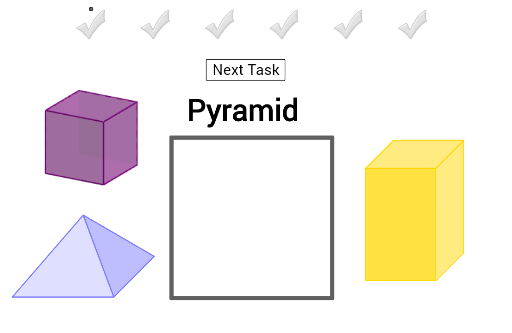
This example demonstrates solid shapes by showing their names and asking students to drag the corresponding shapes into a grey box. The core math concepts involved are solid geometry. It uses GeoGebra commands such as Midpoint, Polygon, and Vector. Suitable for middle school and above students to learn and practice solid geometry.
GeoGebra Commands & Parameters
Midpoint(K, Corner[Bild18, 3]) → MMidpoint(I, Corner[Bild17, 3]) → QMidpoint(G, Corner[Bild16, 3]) → OPolygon(A, B, 4) → poly1, f, g, h, i, C, DMidpoint(H_4, Corner[Bild14, 3]) → B_5Midpoint(Z_3, Corner[Bild10, 3]) → V_4Midpoint(R_2, Corner[Bild2, 3]) → Z_4Midpoint(J_4, Corner[Bild15, 3]) → S_4Midpoint(F_3, Corner[Bild8, 3]) → U_4Midpoint(V_2, Corner[Bild4, 3]) → Q_4Midpoint(F_4, Corner[Bild13, 3]) → T_4Midpoint(H_3, Corner[Bild9, 3]) → R_4Vector(J_2, K_2) → uMidpoint(L_2, Corner[Bild1, 3]) → EMidpoint(L_2, Corner[Bild1, 3]) → FMidpoint(B_4, Corner[Bild11, 3]) → A_1Midpoint(D_3, Corner[Bild7, 3]) → Q_1Midpoint(Z_2, Corner[Bild5, 3]) → B_1Midpoint(B_3, Corner[Bild6, 3]) → S_1Midpoint(D_4, Corner[Bild12, 3]) → ZMidpoint(T_2, Corner[Bild3, 3]) → R_1Midpoint(T_2, Corner[Bild3, 3]) → L_4