
Hyperboloid Views 2
Loading the math board and drawing, please wait…
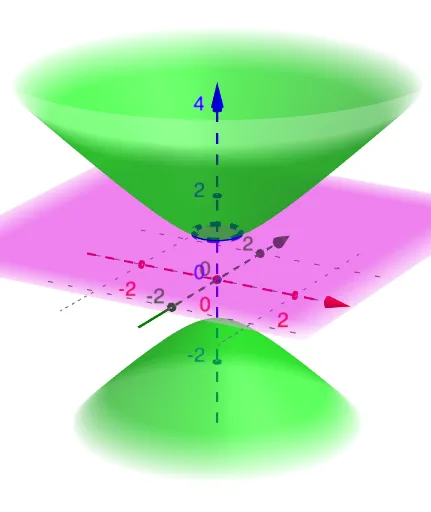
This example demonstrates a three-dimensional hyperboloid surface and its changing appearance from multiple viewpoints, allowing users to intuitively grasp the geometric properties of a hyperboloid. The core mathematical concepts involve quadratic surfaces (hyperboloid), conic sections (cross-sections), and linear/quadratic equations in space. Construction highlights: using the GeoGebra command IntersectPath with objects eq1 (quadratic equation), n (natural number parameter), p (plane), and c (curve), the intersection paths between the hyperboloid and planes are generated to reveal different cross-sectional shapes. Suitable for high school and above students studying solid geometry and analytic geometry, as well as a visualization aid for calculus or multivariable functions in university, and for teachers demonstrating hyperboloid properties in class.
GeoGebra Commands & Parameters
IntersectPath(p, eq1) → c
AI Drawing Prompt Reference
Create a three-dimensional hyperboloid surface and show how its appearance changes from multiple viewpoints. Place a plane in space that intersects the hyperboloid, generating an intersection curve that reveals the cross-sectional shape. By adjusting the plane's position or orientation, different cross-sections such as ellipses or hyperbolas can be observed. The figure should include the hyperboloid, a movable plane, and the resulting intersection curve, with a clear layout for intuitive understanding of the hyperboloid's geometric properties.
The prompt above was compiled from the original drawing commands and is for reference only.