
Hyperboloid Surface
Loading the math board and drawing, please wait…
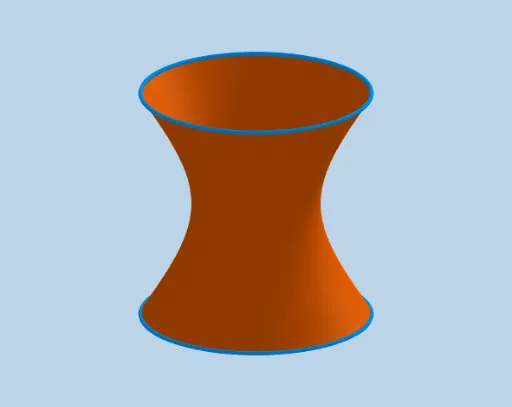
This example demonstrates how to draw a hyperboloid surface using GeoGebra. The core mathematical concepts involved include coordinate geometry and solid geometry. The construction utilizes commands like CurveCartesian and Surface, along with objects such as rotasi, rotano, ejessi, ejesno, r, h, a, α, b, c, g, A1, A2, A3, A4. It is suitable for high school and above students to learn and understand complex three-dimensional surfaces.
GeoGebra Commands & Parameters
CurveCartesian((r * cos(t)), (r * sin(t)), (-h), t, 0, (2 * π)) → aCurveCartesian((r * cos(t + α)), (r * sin(t + α)), h, t, 0, 360°) → bSurface((a(t) * k) + (b(t) * (1 - k)), k, 0, 1, t, 0, (2 * π)) → c
AI Drawing Prompt Reference
Draw a hyperboloid surface by combining two rotating curves, one rotating upwards and the other downwards, both curves rotating around different axes, and use a parametric surface command to merge these curves into a hyperboloid, showcasing the geometric relationship in three-dimensional space.
The prompt above was compiled from the original drawing commands and is for reference only.