
How Many Radii? Circumference Illustrator
Loading the math board and drawing, please wait…
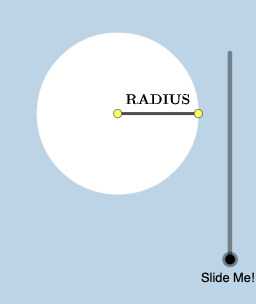
This example demonstrates the relationship between the radius and circumference of a circle. Key mathematical concepts include the formula for circumference, the relationship between radius and diameter, and geometric construction techniques. Construction involves using GeoGebra commands such as Segment, Rotate, CircleArc, Circle, etc. Suitable for middle or high school mathematics to understand basic circle properties and geometric transformations.
GeoGebra Commands & Parameters
Segment((0, 0), (r, 0)) → fRotate((r, 0), 1, (0, 0)) → ARotate((r, 0), 2, (0, 0)) → BRotate((r, 0), 3, (0, 0)) → CRotate((r, 0), 4, (0, 0)) → DRotate((r, 0), 5, (0, 0)) → ERotate((r, 0), -1, (0, 0)) → FRotate(f, If[0 < a ≤ 1, ((-a) * pi / 2), ((-pi)) / 2], (r, 0)) → f'Rotate(G, If[1.5 < a ≤ 2.5, a - 1.5, 1], (0, 0)) → G'CircleArc((0, 0), G, G') → cCircle(G', r - c) → dLine((0, 0), G') → gOrthogonalLine(G', g) → hIntersect(d, h, 2) → HSegment(G', H) → iDilate(G, If[3 < a ≤ 4, 4 - a, 0], A) → G'_{1}Vector(G, G'_{1}) → uTranslate(f, u) → f'_{1}Line((0, 0), A) → jOrthogonalLine(A, j) → kPoint(p) → IPoint(k) → JAngle(J, A, I) → αRotate(f'_{1}, If[3 < a ≤ 4, ((-(a - 3)) * α), (-α)], G'_{1}) → lRotate(A, If[4 < a ≤ 5, a - 4, 1], (0, 0)) → A'CircleArc((0, 0), A, A') → eCircle(A', r - e) → qLine((0, 0), A') → mOrthogonalLine(A', m) → nIntersect(q, n, 2) → KSegment(A', K) → sDilate((0, 0), If[5.5 < a ≤ 6.5, 6.5 - a, 0], B) → LVector(M, L) → vTranslate(f, v) → f'_{2}Line(M, B) → bOrthogonalLine(B, b) → f_1Point(t) → NPoint(f_1) → OAngle(O, B, N) → βRotate(f'_{2}, If[5.5 < a ≤ 6.5, ((-(a - 5.5)) * β), (-β)], L) → g_1Rotate(B, If[6.5 < a ≤ 7.5, a - 6.5, 1], (0, 0)) → B'CircleArc(M, B, B') → c_1Line(M, B') → h_1OrthogonalLine(B', h_1) → i_1Circle(B', r - c_1) → d_1Intersect(d_1, i_1, 2) → PDilate(M, If[8 < a ≤ 9, 9 - a, 0], C) → M'Vector(M, M') → wTranslate(f, w) → f'_{3}Line(M, C) → k_1OrthogonalLine(C, k_1) → l_1Point(p_1) → QPoint(l_1) → RAngle(R, C, Q) → γRotate(f'_{3}, If[8 < a ≤ 9, ((-(a - 8)) * γ), (-γ)], M') → m_1Rotate(C, If[9 < a ≤ 10, a - 9, 1], M) → C'CircleArc(M, C, C') → e_1Line(M, C') → n_1OrthogonalLine(C', n_1) → q_1Circle(C', r - e_1) → r_1Intersect(r_1, q_1) → S, B_1Intersect(d_1, i_1, 1) → TDilate(M, If[10.5 < a ≤ 11.5, 11.5 - a, 0], D) → M'_{1}Vector(M, M'_{1}) → u_1Translate(f, u_1) → f'_{4}Line(M, D) → a_1OrthogonalLine(D, a_1) → b_1Point(b_1) → UPoint(t_1) → VAngle(U, D, V) → δRotate(f'_{4}, If[10.5 < a ≤ 11.5, ((-(a - 10.5)) * δ), (-δ)], M'_{1}) → f_2Rotate(D, If[11.5 < a ≤ 12.5, a - 11.5, 1], M) → D'CircleArc(M, D, D') → c_2Line(M, D') → g_2OrthogonalLine(D', g_2) → h_2Circle(D', r - c_2) → d_2Intersect(d_2, h_2, 2) → WSegment(D', W) → i_2Intersect(d_2, h_2, 1) → ZRotate(M, If[13 < a ≤ 14, ((a - 13) * pi / 2), pi / 2], G) → M'_{2}Segment(G, M'_{2}) → j_2If(x(P) ≤ x(T), P, T) → A_1Segment(B', A_1) → j_1If(y(B_1) < y(S), B_1, S) → C_1Segment(C', C_1) → s_1Rotate(G, If[14 < a ≤ 15, (-(a - 14)), -1], M) → G'_{2}CircleArc(M, G'_{2}, G) → e_2Line(M, G'_{2}) → k_2Circle(G'_{2}, r - e_2) → p_2OrthogonalLine(G'_{2}, k_2) → l_2Intersect(p_2, l_2) → D_1, E_1If(y(D_1) ≤ y(E_1), D_1, E_1) → F_1Segment(G'_{2}, F_1) → m_2Rotate(D, 1, M) → D'_{1}Rotate(G, 0.5) → G'_{3}Rotate(G, 1.5) → G'_{4}Rotate(G, 2.5) → G'_{5}Rotate(G, 3.5) → G'_{6}Rotate(G, 4.5) → G'_{7}Rotate(G, -0.5) → G'_{8}
AI Drawing Prompt Reference
Draw a circle to illustrate the relationship between its radius and circumference. Start by drawing a radius from the center, then rotate this radius multiple times around the center to create several points. Connect these points to show the circumference of the circle. Also, draw the diameter of the circle and label the relationship between the radius and diameter. Use arcs and circles to emphasize the concept of circumference, and add auxiliary lines to demonstrate angle relationships.
The prompt above was compiled from the original drawing commands and is for reference only.