
Hexagonal Pyramid (Area of 150 sq cm)
Loading the math board and drawing, please wait…
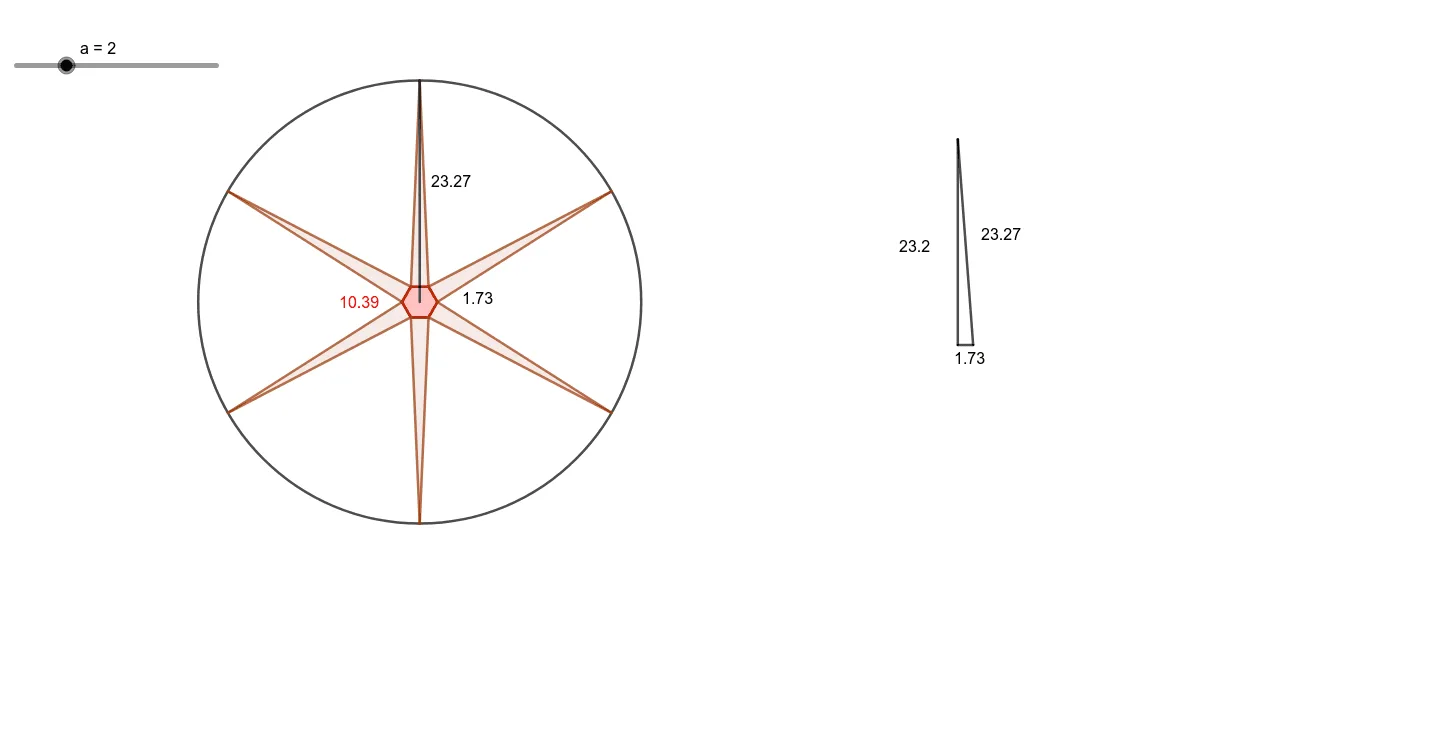
This example demonstrates the geometric construction of a hexagonal pyramid with a surface area of 150 square centimeters. It involves core mathematical concepts such as solid geometry, polygon area calculation, and geometric construction. Key GeoGebra commands and objects used in the construction include Point, Segment, Polygon, LineBisector, Intersect, Circle, Rotate, and OrthogonalLine. Suitable for high school students learning solid geometry and geometric constructions.
GeoGebra Commands & Parameters
Point(Circle[A, a]) → BSegment(A, B) → fPolygon(A, B, 6) → poly1, g, F, h, i, j, k, l, C, D, ELineBisector(j) → mIntersect(m, j) → GCircle(G, (150 - poly1) / ((3 * a))) → cIntersect(c, m, 1) → HPolygon(E, H, D) → t1, d, e, h_1Segment(F, C) → nIntersect(m, n) → IRotate(E, 60°, I) → E'Rotate(H, 60°, I) → H'Rotate(D, 60°, I) → D'Polygon(E', H', D') → t1', d', e', h'Rotate(E', 60°, I) → E''Rotate(H', 60°, I) → H''Rotate(D', 60°, I) → D''Polygon(E'', H'', D'') → t1'', d'', e'', h''Rotate(E'', 60°, I) → E'''Rotate(H'', 60°, I) → H'''Rotate(D'', 60°, I) → D'''Polygon(E''', H''', D''') → t1''', d''', e''', h'''Rotate(E''', 60°, I) → JRotate(H''', 60°, I) → KRotate(D''', 60°, I) → LPolygon(J, K, L) → t2, l_1, j_1, k_1Rotate(J, 60°, I) → J'Rotate(K, 60°, I) → K'Rotate(L, 60°, I) → L'Polygon(J', K', L') → t2', l', j', k'Circle(I, H') → pSegment(G, I) → qSegment(H, G) → rPoint(Circle[M, q]) → NSegment(M, N) → sOrthogonalLine(M, s) → tCircle(N, r) → c_1Intersect(c_1, t, 2) → OSegment(M, O) → bSegment(N, O) → f_1
AI Drawing Prompt Reference
Draw a hexagonal pyramid with a base as a regular hexagon and a surface area of 150 square centimeters. Start by taking a point B on a circle and connecting it to A to form one side. Construct a regular hexagon ABFGCDE. Then, draw the perpendicular bisector of FG and intersect it at point G. With G as the center and a radius of (150 - hexagon area) / (3 * AB), draw a circle and find its intersection with the bisector at point H. Connect HE and rotate to form the other sides. Adjust the apex position to ensure the correct surface area.
The prompt above was compiled from the original drawing commands and is for reference only.