
Hexagonal Prism Net by melissahertel
Loading the math board and drawing, please wait…
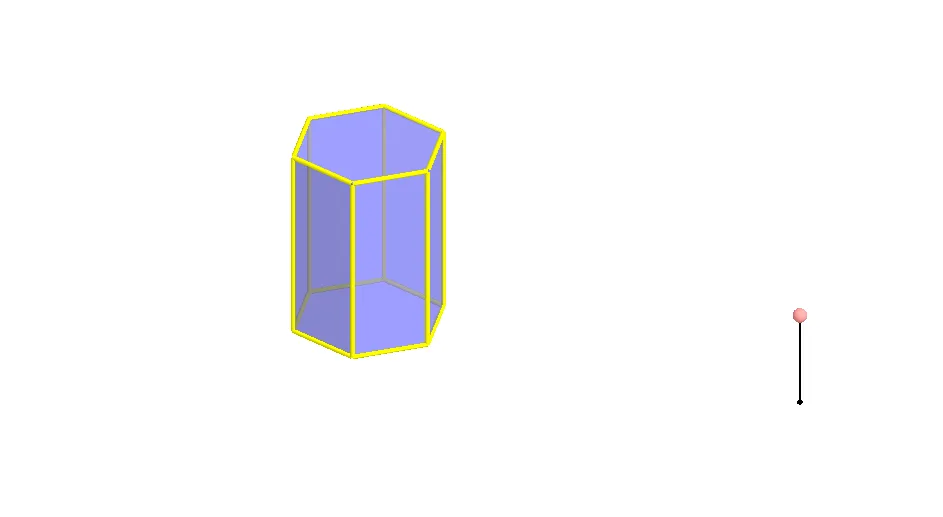
This example demonstrates the net of a hexagonal prism. Key mathematical concepts include polygons and solid geometry. Using GeoGebra commands such as Polygon, Prism, Segment, Rotate, and Mirror, the net of the hexagonal prism and its edges can be constructed. Suitable for middle school and above students to learn solid geometry.
GeoGebra Commands & Parameters
Polygon(A, B, 6, xOyPlane) → poly1, a, F, b, c, d, e, f, C, D, EPrism(poly1, A + (0, 0, 4)) → g, G, faceEFKJ, face2, face3, edge1, edgeBG, edgeCH, edgeDI, edgeEJ, edgeFK, edge2, H, edgeGH, edgeHI, edgeIJ, edgeJK, edge3, I, J, K, face1, faceBCHG, faceCDIH, faceDEJISegment(M, M + (0, 0, 2)) → hPoint(h) → NRotate(Polygon[E, D, I, J], (90° * t), Segment[D, E]) → poly2Rotate(Polygon[G, H, I, J, K, L], (90° * t), Segment[I, J]) → poly3Rotate(poly3, (90° * t), Segment[D, E]) → poly3'Rotate(Polygon[C, D, I, H], (60° * t), Segment[D, I]) → poly4Rotate(poly4, (90° * t), Segment[D, E]) → poly4'Mirror(poly4, OrthogonalPlane[Midpoint[D, E], Segment[D, E]]) → poly4'_1Rotate(poly4'_1, (90° * t), Segment[D, E]) → poly5Rotate(C, (60° * t), Segment[D, I]) → C'Mirror(Polygon[D, E, J, I], OrthogonalPlane[Midpoint[D, C'], Segment[D, C']]) → poly6Mirror(poly6, OrthogonalPlane[Midpoint[D, E], Segment[D, E]]) → poly6'Rotate(poly6, (90° * t), Segment[D, E]) → poly6'_1Rotate(poly6', (90° * t), Segment[D, E]) → poly6''Mirror(E, OrthogonalPlane[Midpoint[D, C'], Segment[D, C']]) → E'Mirror(poly4, OrthogonalPlane[Midpoint[E', C'], Segment[E', C']]) → poly4'_2Rotate(poly4'_2, (90° * t), Segment[D, E]) → poly7Rotate(poly3, (90° * t), Segment[D, E]) → poly3'_1Polygon(A, B, 6, xOyPlane) → poly8, i, R, j, k, l, m, n, O, P, QRotate(poly6', (90° * t), Segment[D, E]) → poly6''_1Rotate(poly4'_1, (90° * t), Segment[D, E]) → poly9Rotate(Polygon[E, D, I, J], (90° * t), Segment[D, E]) → poly10Rotate(poly4, (90° * t), Segment[D, E]) → poly4'_3Rotate(poly6, (90° * t), Segment[D, E]) → poly6'_2Rotate(poly4'_2, (90° * t), Segment[D, E]) → poly11
AI Drawing Prompt Reference
Draw the net of a regular hexagonal prism. Start with a regular hexagon as the base, then extrude it upward to form the prism. Next, unfold each rectangular side face and the top hexagonal face by rotating them around their shared edges with the base or adjacent faces, laying them flat on the base plane. The unfolded net consists of six rectangles and one hexagon, all connected along their edges, forming a single planar shape.
The prompt above was compiled from the original drawing commands and is for reference only.