
Hexagonal Prism Construction
Loading the math board and drawing, please wait…
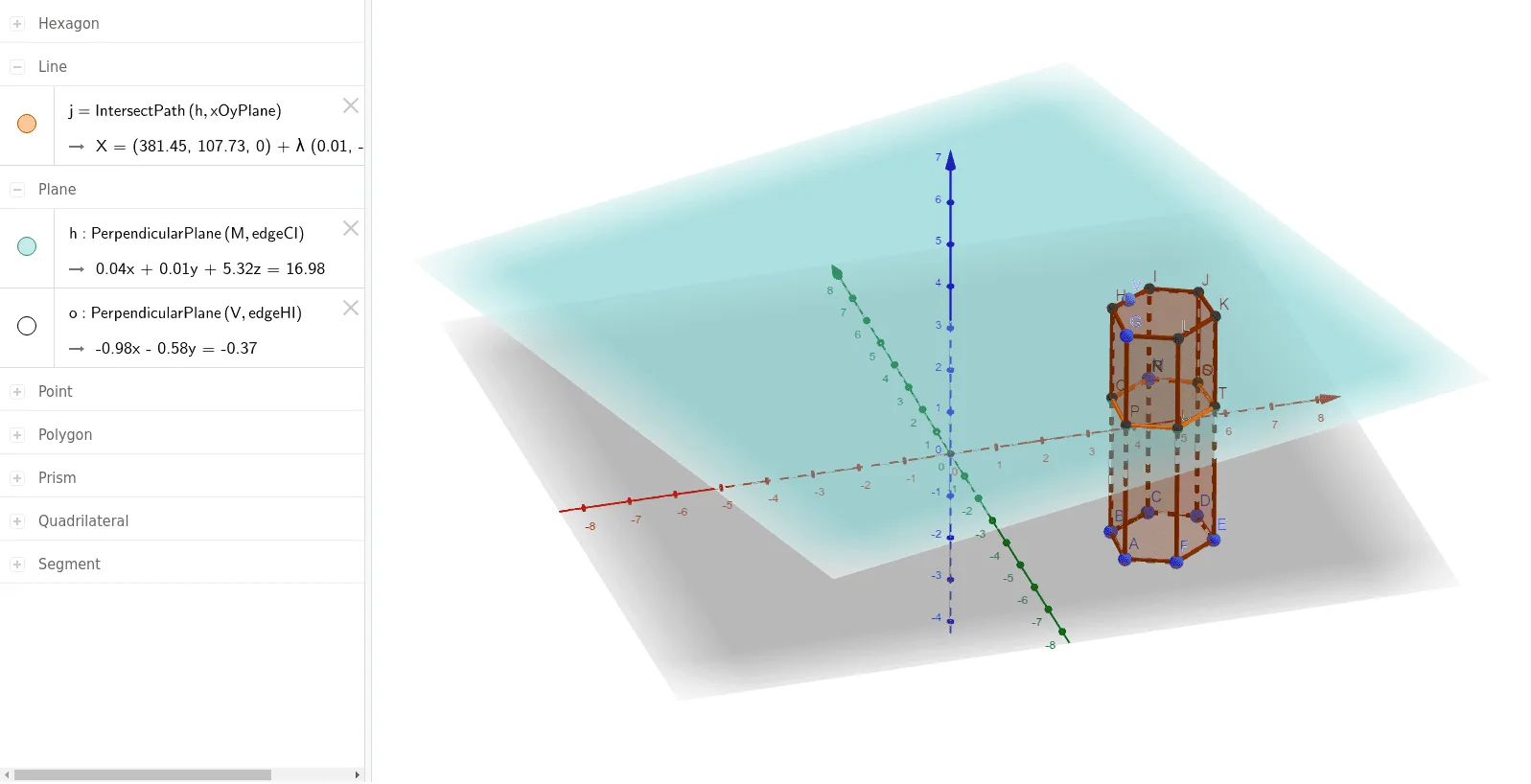
This example demonstrates the geometric construction of a hexagonal prism and its 3D shape. Core math concepts include polygons, solid geometry, properties of prisms, and spatial geometric relationships. Construction highlights involve commands/objects like Polygon, Prism, Point, OrthogonalPlane, IntersectPath, and Intersect from GeoGebra. Suitable for high school solid geometry teaching or introductory geometric modeling.
GeoGebra Commands & Parameters
Polygon(A, B, C, D, E, F) → poly1, a, b, c, d, e, fPrism(poly1, G) → g, H, faceEFLK, faceAFLG, faceGHIJKL, edgeAG, edgeBH, edgeCI, edgeDJ, edgeEK, edgeFL, edgeGH, I, edgeHI, edgeIJ, edgeJK, edgeKL, edgeGL, J, K, L, faceABHG, faceBCIH, faceCDJI, faceDEKJPoint(edgeCI) → MOrthogonalPlane(M, edgeCI) → hIntersectPath(h, faceCDJI) → iIntersect(h, faceCDJI) → N, OIntersectPath(h, xOyPlane) → jIntersectPath(h, g) → poly2, P, n, p, q, Q, R, S, T, U, k, l, mPoint(edgeHI) → VOrthogonalPlane(V, edgeHI) → o
AI Drawing Prompt Reference
Draw a hexagonal prism by first creating a hexagon and then extending it upward to form the prism, showcasing its 3D shape. Identify a point on one of the prism's lateral faces, then construct a plane perpendicular to the face's edge through this point. The intersection of this plane with the face and base yields new points and segments, which are used to refine the prism's details, highlighting the geometric construction process.
The prompt above was compiled from the original drawing commands and is for reference only.