
HCF and LCM Formative Assessment Tool
Loading the math board and drawing, please wait…
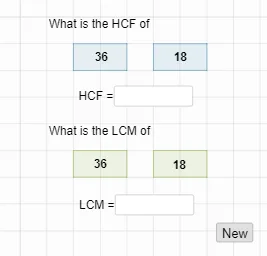
This GeoGebra example demonstrates an interactive formative assessment tool for the Highest Common Factor (HCF/GCD) and Lowest Common Multiple (LCM). The core mathematical concepts involve integer arithmetic, divisibility rules, and the calculation of greatest common divisors and least common multiples. From a construction perspective, the applet uses commands like Shuffle and Element to generate random lists (list1, list2), and implements the GCD and LCM functions to grade responses automatically. Visual elements such as Polygon shapes and Textfield inputs (ans1, ans2) are used to build a clean user interface. It is highly suitable for middle school math classrooms, offering teachers a tool for real-time student assessment and providing students with self-paced practice exercises.
GeoGebra Commands & Parameters
Shuffle(list1) → list2, {2, 1, 5, 3, 4, 11, 7, 1, 2, 3, 5, 6, 2, 8}Element(list2, 1) → aElement(list2, 2) → bElement(list2, 3) → cElement(list2, 4) → dElement(list2, 5) → eElement(list2, 6) → fShuffle(list3) → list4, {9, 2, 4, 2, 7, 3, 6, 5, 3, 1, 1, 8, 10}Element(list4, 1) → pElement(list4, 2) → qElement(list4, 3) → rElement(list4, 4) → sGCD(u, v) → ans1LCM(u, v) → ans2Polygon(A, B, C, D) → q1, a_1, b_1, c_1, d_1Polygon(E, F, G, H) → q2, e_1, f_1, g, hPolygon(I, J, K, L) → q3, i, j, k, lPolygon(M, N, O, P) → q4, m_1, n_1, o, p_1Textfield(empty1) → InputBox1Textfield(empty2) → InputBox2
AI Drawing Prompt Reference
Create an interactive educational interface for practicing greatest common factor and least common multiple. The layout features four rectangular answer panels arranged in a row, each containing two randomly selected integers displayed above a blank input field. The design is clean and geometric, with clear borders and a light background. Each panel represents a separate problem, with numbers kept under two digits. The input boxes are for entering calculated results, and the overall arrangement is orderly, suitable for classroom use.
The prompt above was compiled from the original drawing commands and is for reference only.