
Guess the Orthocenter!
Loading the math board and drawing, please wait…
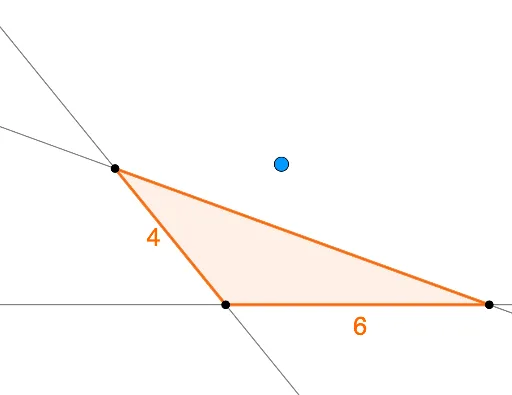
This example demonstrates how to estimate the orthocenter of a triangle through interactive means. Key math concepts involved include the orthocenter, triangle geometry, vectors, and reflections. Construction highlights from the GeoGebra command summary involve commands like Random, Circle, Rotate, Ray, Intersect, Line, OrthogonalLine, Segment, Polygon, Distance, Midpoint, If, and objects such as t2, A, c, d, etc. It is suitable for high school mathematics education as a quick formative assessment tool to gauge students' understanding of orthocenter properties.
GeoGebra Commands & Parameters
Random(2, 6) → cCircle(A, c) → dRandom(30, 150) → aRandom(2, 6) → bRotate(B, (a * π / 180), A) → B'Ray(A, B') → gIntersect(d, g, 1) → CLine(C, B) → nOrthogonalLine(A, n) → pLine(A, C) → mOrthogonalLine(B, m) → qIntersect(p, q) → ESegment((0, 0), (b, 0)) → fPolygon(A, B, C) → t1_1, c_1, a_1, b_1Distance(E, t2) → eMidpoint(b_1) → FMidpoint(a_1) → GMidpoint(f) → HIf(e ≤ 0.2, "Nice job!", 0.2 < e ≤ 1, "Pretty good!", "Not quite.") → text2Line(A, B) → lOrthogonalLine(C, l) → rIntersect(l, r) → IAngle(B, I, C) → αIntersect(m, q) → JAngle(A, J, B) → γIntersect(n, p) → KAngle(A, K, C) → β