
Growing Pyramid
Loading the math board and drawing, please wait…
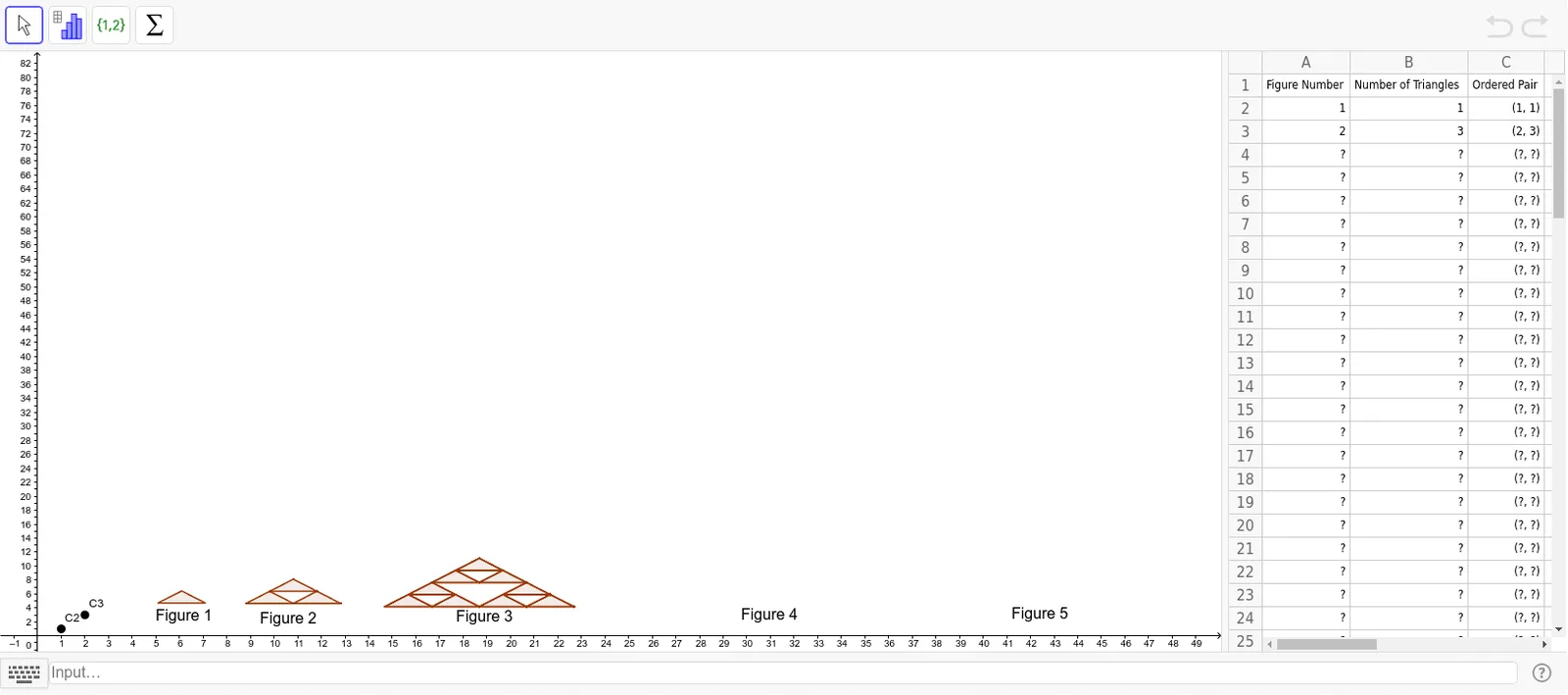
This example demonstrates the dynamic changes of a pyramid. It involves key mathematical concepts such as geometric transformations, trigonometric functions, and polynomial functions. Using GeoGebra commands like If, Point, Polygon, Segment, Rotate, and Midpoint, a dynamic pyramid model is constructed. Suitable for high school mathematics education and learning.
GeoGebra Commands & Parameters
If(A2 > 0, (A2, B2), 0) → C2If(A3 > 0, (A3, B3), 0) → C3If(A4 > 0, (A4, B4), " ") → C4If(A5 > 0, (A5, B5), " ") → C5If(A6 > 0, (A6, B6), " ") → C6If(A7 > 0, (A7, B7), " ") → C7If(A8 > 0, (A8, B8), " ") → C8If(A9 > 0, (A9, B9), " ") → C9If(A10 > 0, (A10, B10), " ") → C10If(A11 > 0, (A11, B11), " ") → C11If(A12 > 0, (A12, B12), " ") → C12If(A13 > 0, (A13, B13), " ") → C13If(A14 > 0, (A14, B14), " ") → C14If(A15 > 0, (A15, B15), " ") → C15If(A16 > 0, (A16, B16), " ") → C16If(A17 > 0, (A17, B17), " ") → C17If(A18 > 0, (A18, B18), " ") → C18If(A19 > 0, (A19, B19), " ") → C19If(A20 > 0, (A20, B20), " ") → C20If(A21 > 0, (A21, B21), " ") → C21If(A22 > 0, (A22, B22), " ") → C22If(A23 > 0, (A23, B23), " ") → C23If(A24 > 0, (A24, B24), " ") → C24If(A25 > 0, (A25, B25), " ") → C25If(A26 > 0, (A26, B26), " ") → C26If(A27 > 0, (A27, B27), " ") → C27If(A28 > 0, (A28, B28), " ") → C28If(A29 > 0, (A29, B29), " ") → C29If(A30 > 0, (A30, B30), " ") → C30If(A31 > 0, (A31, B31), " ") → C31If(A32 > 0, (A32, B32), " ") → C32If(A33 > 0, (A33, B33), " ") → C33If(A34 > 0, (A34, B34), " ") → C34If(A35 > 0, (A35, B35), " ") → C35Point(Circle[A, 1]) → BPoint(Circle[D, 1]) → EPolygon((5.094626308379802, 4.705492463825604), (7.094626308379808, 4.705492463825604), 3) → poly3Segment(D, E) → jPoint(Circle[C, 2]) → FRotate(F, 60°, C) → F'Midpoint(C, F') → GMidpoint(C, F) → HMidpoint(F, F') → IPoint(Circle[Q, 4]) → RSegment(Q, R) → fPolygon(Q, R, 3) → poly1, g, h, i, SMidpoint(S, Q) → TMidpoint(S, R) → UMidpoint(R, Q) → VPolygon(Q, V, T) → poly2, t_5, q_5, vPolygon(V, U, R) → poly7, r_5, v_1, uPolygon(U, T, S) → poly23, s_5, u_1, t_6Tool1(O) → poly14, poly15, g_2, h_2, poly16, k, l, c, f_1, g_1, h_1, i_1Intersect(h_2, g_2) → PIntersect(h_1, g_1) → WTool1(W) → poly17, poly18, p_3, q_3, poly19, i_2, i_3, j_3, k_3, l_3, m_3, n_3Tool1(P) → poly20, poly21, e_3, f_4, poly22, r_3, s_3, t_3, a_3, b_3, c_3, d_3
AI Drawing Prompt Reference
Draw a dynamic pyramid with a triangular base. Start by drawing a triangular base, then rotate to generate the pyramid's sides around the base's center point, and finally add lines connecting the apex to the base.
The prompt above was compiled from the original drawing commands and is for reference only.