
Grazing Area
Loading the math board and drawing, please wait…
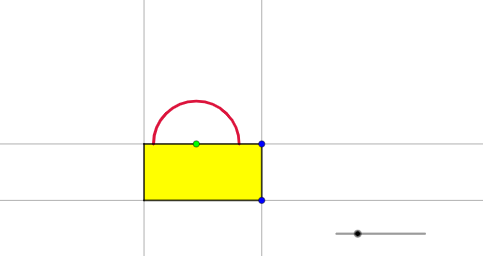
This example demonstrates the calculation of grazing area. Core mathematical concepts include integral and geometry. Using GeoGebra commands such as Point, Mirror, OrthogonalLine, etc., the grazing area boundary can be constructed. Suitable for high school or university calculus courses.
GeoGebra Commands & Parameters
Point(Segment[(0.5, 0), (5, 0)]) → AMirror(A, yAxis) → A'OrthogonalLine(A', xAxis) → fOrthogonalLine(A, xAxis) → gPoint(Segment[(x(A), -0.5), (x(A), -5)]) → BOrthogonalLine(B, g) → hLine(A', A) → iIntersect(f, h) → CPolygon(A', A, B, C) → q1, a', a, b, cPoint(a') → DCircle(D, rope) → dMirror(A', A) → A''Mirror(A, A') → A'_{1}Mirror(A, B) → A'_{2}Mirror(A', C) → A''_{1}Ray(A, A'') → jRay(A', A'_{1}) → kRay(C, A''_{1}) → lRay(B, A'_{2}) → mIntersect(d, j) → E,Intersect(d, k) → F,Intersect(d, a') → G, HSemicircle(G, E) → eSemicircle(G, H) → pSemicircle(F, H) → qSemicircle(F, E) → rCircle(A, E) → sIntersect(s, a) → I,Intersect(s, m) → J,CircleArc(A, J, E) → tCircleArc(A, I, E) → c_1Semicircle(F, G) → d_1Circle(A', F) → e_1Intersect(e_1, c) → K,Intersect(e_1, l) → L,CircleArc(A', F, L) → f_1CircleArc(A', F, K) → g_1Circle(B, J) → h_1Intersect(h_1, b) → M, N_{1}CircleArc(B, M, J) → k_1Circle(C, L) → p_1Intersect(p_1, b) → N, OCircleArc(C, L, N) → q_1CircleArc(B, N_{1}, J) → r_1
AI Drawing Prompt Reference
Draw a circle with center A and radius rope. Construct a right triangle with A as the vertex on the x-axis, and A' as the mirror image of A across the y-axis. Draw a circle with center A' and radius rope, and another circle with center A and radius rope. Use the intersections and tangents of these circles to form a complex geometric shape, including multiple arcs and line segments, ultimately creating an irregular closed area.
The prompt above was compiled from the original drawing commands and is for reference only.