
Graphing Quadratic Equations II (Self Assessment)
Loading the math board and drawing, please wait…
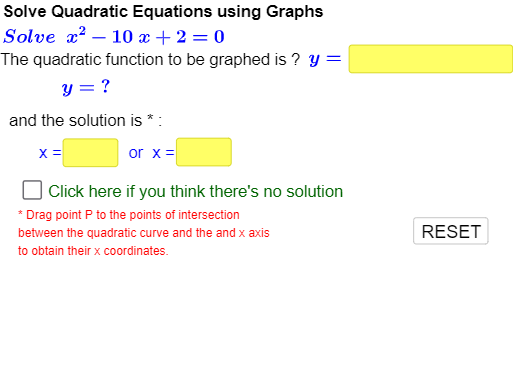
This example demonstrates how to solve quadratic equations with algebraic expressions on both sides using graphical methods. It requires an additional step to rearrange the equation into standard form before plotting the function graphs to find intersection points, thereby determining the roots. Key math concepts include quadratic functions, function graphs, and intersection solving. GeoGebra commands and objects used in construction are Sequence, Union, Simplify, Root, Textfield, Roots, Extremum, If, Point, Intersect, suitable for high school students to understand the relationship between function graphs and equation solutions, enhancing self-assessment skills.
GeoGebra Commands & Parameters
Sequence(i, i, 1, 20, 1) → list4Sequence(i, i, -20, -1, 1) → list1Union(list1, list4) → list5Sequence(i, i, -7, 9, 1) → list2Sequence(i, i, -13, 13, 1) → list3Simplify((a * x^(2)) + (b * x) + c) → fRoot(f) → A, BTextfield(inputa) → InputBox1Textfield(inputb) → InputBox2Textfield(inputc) → InputBox3Textfield(inputx1) → InputBox4Textfield(inputx2) → InputBox5Roots(f, -30, 30) → C, D,Extremum(f, -30, 30) → EIf(usera ≟ a, true, false) → correctaIf(userb ≟ b, true, false) → correctbIf(userc ≟ c, true, false) → correctcIf(abs(x(C) - Min[userx1, userx2]) < 0.055, true, false) → correctxminIf(abs(x(D) - Max[userx1, userx2]) < 0.055, true, false) → correctxmaxIf(b^(2) < (4 * ac), nosolncorrect, correctxmax ∧ correctxmin) → correctrootsPoint(f) → PSimplify((-c)) → c_2Simplify((a * x^(2)) + (b * x)) → f_2Simplify((a * x^(2))) → f_3Simplify(((-b) * x) - c) → bc_3Textfield(inputf) → InputBox6If(f_{userinput} ≟ f, true, false) → correctfunctionIf(correctfunction ∧ correctroots ∧ checkedroots ∨ checkrootcounter > 1, true, false) → showbutton1If(correctfunction ∧ correctroots ∨ checkrootcounter > 1, true, false) → nIf(correctfunction ∧ correctroots ∨ checkrootcounter > 1, true, false) → oIf(correctfunction ∧ correctroots ∨ checkrootcounter > 1, true, false) → pIf(correctfunction ∧ correctroots ∨ checkrootcounter > 1, true, false) → qIf(correctfunction ∧ correctroots ∨ checkrootcounter > 1, true, false) → rIf(correctfunction ∧ correctroots ∨ checkrootcounter > 1, true, false) → sIf(correctfunction ∧ correctroots ∨ checkrootcounter > 1, true, false) → tIf(correctfunction ∧ correctroots ∨ checkrootcounter > 1, true, false) → uIf(correctfunction ∧ correctroots ∨ checkrootcounter > 1, true, false) → vIf(correctfunction ∧ correctroots ∨ checkrootcounter > 1, true, false) → wIf(y(E) < 0, y(E) + Min[(-abs((0.25 * y(E)))), -5], Min[-5, (-abs((0.25 * y(E))))]) → yMinView2If(y(E) > 0, y(E) + Max[(0.25 * y(E)), 5], Max[abs((0.25 * y(E))), 5]) → yMaxView2Intersect(f, xAxis) → F, GIf(If[discriminant < 0, x(E) + 5, If[discriminant ≟ 0, x(E) + 5, x(G) + (0.5 * abs(x(G) - x(F)))]] < 0, 1, If[discriminant < 0, x(E) + 5, If[discriminant ≟ 0, x(E) + 5, x(G) + (0.5 * abs(x(G) - x(F)))]]) → xMaxView2If(If[discriminant < 0, x(E) - 5, If[discriminant ≟ 0, x(E) - 5, x(F) - (0.5 * abs(x(G) - x(F)))]] > 0, -1, If[discriminant < 0, x(E) - 5, If[discriminant ≟ 0, x(E) - 5, x(F) - (0.5 * abs(x(G) - x(F)))]]) → xMinView2