
Graphing Linear Equations and Identifying Slope & y-intercept by Tim Brzezinski
Loading the math board and drawing, please wait…
In collections
Introduction to Linear Functions and Graphs
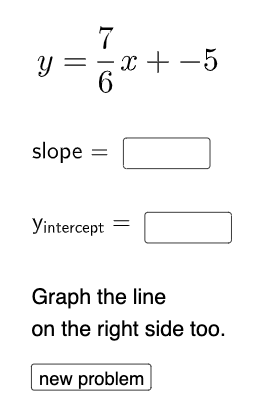
This example demonstrates how to plot linear equations and identify slope and y-intercept. Key mathematical concepts include linear functions, slope, intercept, and coordinate geometry. Construction involves GeoGebra commands like Line, Intersect, Vector, etc. Suitable for middle or high school mathematics to understand basic linear relationships.
GeoGebra Commands & Parameters
Random(1, 2) → nRandom(-9, 9) → n_{1}Random(-9, 9) → bRandomElement(Sequence[i, i, 1, 9, 1]) → dIf(n ≟ 1, f, g) → hTextfield(a) → InputBox1Textfield(c) → InputBox2Line(A, B) → iIntersect(eq1, p) → CVector(B, C) → uVector(C, A) → vPolygon(B, C, A) → t1, a_1, b_1, c_1Intersect(i, yAxis) → DIntersect(xAxis, yAxis) → EVector(E, D) → wFractionText(n_{1} / d) → text8
AI Drawing Prompt Reference
Create a diagram on a coordinate plane showing a linear relationship. Randomly choose an integer slope and a fractional y-intercept value, then draw a line consistent with those parameters. Compute and display the intersection of the line with the axes to obtain the key crossing points. Using the intersections, form a triangle by connecting three relevant points and include two vectors originating from one intersection toward the other two to indicate direction. Add a text label for the chosen intercept value.
The prompt above was compiled from the original drawing commands and is for reference only.