
Graphing an Ellipse from Its Standard-Form Equation
Loading the math board and drawing, please wait…
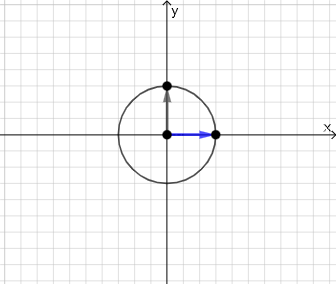
This example demonstrates how to graph an ellipse on the coordinate plane using its standard-form equation, highlighting the ellipse’s key symmetry properties. It centers on conic sections (ellipse), the standard parameters (a, b, c, and related quantities), and the distance-based geometric characterization involving focus distances. The construction integrates core GeoGebra objects and commands: Sequence to generate parameter-driven steps/points, Point to place foci and auxiliary points, Distance to encode the required distance relationships, and Line/Segment/Vector/Polygon to build the supporting geometric framework. Intersect is used to locate crucial intersection points, Angle supports angle-related checks/annotations, and RotateText helps label constructed elements. Conditional logic (If), and optional randomization tools (Random/RandomElement) can be used to vary the construction or selection for demonstration. It is well-suited for secondary advanced study and introductory college use when teaching the connection between algebraic equations and graphical conic behavior, as well as verifying ellipse properties via geometric construction.
GeoGebra Commands & Parameters
Sequence(i, i, 1, 10, 1) → l2Sequence(i, i, -10, -1, 1) → l1Union(l1, l2) → l3Point(Ray[A + (0, 1), A + (0, 2)]) → HDistance(A, H) → c_1Point(Ray[A + (1, 0), A + (2, 0)]) → EDistance(A, E) → d_1Point(Segment[(h + 1, y(C) + 10), (h + 1, y(C) - 10)]) → DLine(A, B) → fVector(A, C) → uPolygon(A, C, B) → t1, b, a_1, cSegment(A, C) → h_{1}Vector((h, 0), A) → wVector((0, 0), (h, 0)) → jDistance(A, E) → nVector(A, E) → vPoint(p) → FIntersect(eq1, q) → GPolygon(A, G, F) → t2, f_1, a_2, g_1Segment(F, A) → rSegment(A, G) → sSegment(G, F) → tAngle(A, G, F) → αRotateText(text18, pi / 2) → text20RotateText(text19, pi / 2) → text21Vector(A, H) → u_1Random(-8, 8) → e_1Random(-8, 8) → j_1RandomElement(l3) → k_1RandomElement(l3) → i_1If(e_1 < 0, (x + e_1)^(2), (x - e_1)^(2)) → p_1If(e_1 < 0, text5, e_1 > 0, text4, text9) → text8If(j_1 < 0, text7, j_1 > 0, text6, text10) → text11
AI Drawing Prompt Reference
Draw an ellipse in standard form with point A as the center, using the distances from point E and H to determine the major and minor axes. Generate auxiliary lines and points with Ray and Point commands, calculate distances with Distance, build the geometric framework of the ellipse with Line and Polygon, and find key intersection points and angles using Intersect and Angle. Add rotated text annotations.
The prompt above was compiled from the original drawing commands and is for reference only.