
GoGeometry Action 180! Equilateral Triangle with Perpendicular Lines
Loading the math board and drawing, please wait…
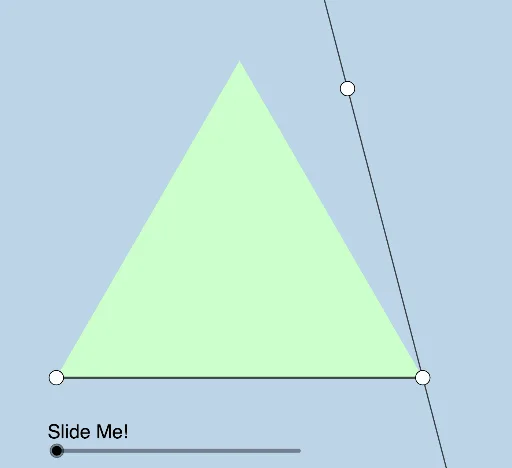
This dynamic and modifiable GeoGebra example illustrates a geometry problem posed by Antonio Gutierrez (GoGeometry), featuring an equilateral triangle with multiple perpendicular lines and derived points. The core mathematical concepts include properties of equilateral triangles, perpendicularity, midpoints, rotation, dilation (homothety), and angle measurement. The construction uses GeoGebra commands such as Polygon, Midpoint, Line, OrthogonalLine, Intersect, Segment, Rotate, Angle, and Dilate. Key objects include A, C, poly1, f, g, h, B, M, E, i, j, k, F, D, l, a, A', C', m, A'_1, n, α, β, B', p, A'_2, q, A'_3, r, A'_4, G, r', M', s, M'_1, M'', s', H, M''', and s'', showing a rich interplay of geometric elements. This resource is ideal for middle and high school geometry classes, math competitions, or dynamic geometry exploration, helping students visualize angle and position relationships in equilateral triangles with perpendicular lines.
GeoGebra Commands & Parameters
Polygon(A, C, 3) → poly1, f, g, h, BMidpoint(h) → MLine(C, E) → iOrthogonalLine(A, i) → jOrthogonalLine(B, i) → kIntersect(i, j) → FIntersect(i, k) → DSegment(A, C) → lRotate(A, If[0 < a ≤ 1, 1 - a, 0], A) → A'Rotate(C, If[0 < a ≤ 1, (a * π / 3), π / 3], A) → C'Segment(A, C') → mRotate(A, If[1 < a ≤ 2, ((-(a - 1)) * π / 3), ((-π)) / 3], C) → A'_1Segment(C, A'_1) → nAngle(B, D, E) → αAngle(E, F, A) → βDilate(B, If[2 < a ≤ 3, 3 - a, 0], D) → B'Segment(B, B') → pDilate(A, If[2 < a ≤ 3, 3 - a, 0], F) → A'_2Segment(A, A'_2) → qDilate(A, If[4 < a ≤ 5, 5 - a, 0], M) → A'_3Segment(A, A'_3) → rRotate(A, If[5 < a ≤ 6, ((a - 5) * π), π], M) → A'_4Rotate(A'_3, If[5 < a ≤ 6, ((a - 5) * π), π], M) → GSegment(A'_4, G) → r'Dilate(M, If[6.5 < a ≤ 7.5, 7.5 - a, 0], F) → M'Segment(M, M') → sRotate(M, If[7.5 < a ≤ 8.5, ((a - 7.5) * π / 3), π / 3], M) → M'_1Rotate(M', If[7.5 < a ≤ 8.5, ((a - 7.5) * π / 3), π / 3], M) → M''Segment(M'_1, M'') → s'Rotate(M'_1, If[8.5 < a ≤ 9.5, ((a - 8.5) * π / 3), π / 3], D) → HRotate(M'', If[8.5 < a ≤ 9.5, ((a - 8.5) * π / 3), π / 3], D) → M'''Segment(H, M''') → s''Polygon(M, D, F) → t1, f_1, m_1, d
AI Drawing Prompt Reference
Draw an equilateral triangle with vertices at left, right, and top. From the midpoint of the base, draw a vertical line upward. From the left and right vertices, draw perpendicular lines to this vertical line, marking their intersections. Inside the triangle, use a slider to control dynamic constructions: rotate points from vertices to create new segments, dilate points from vertices or the midpoint to form segments, and rotate points around the midpoint or intersections to generate symmetric segments. Finally, connect the midpoint and the two intersection points to form a smaller triangle. All segments and angles change with the slider, illustrating perpendicular and transformational relationships in an equilateral triangle.
The prompt above was compiled from the original drawing commands and is for reference only.