
Geometry Planes
Loading the math board and drawing, please wait…
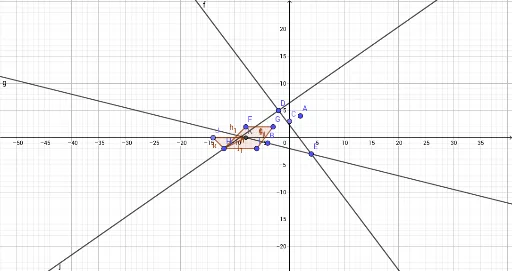
This example demonstrates basic concepts in plane geometry, including planes, similarity transformations, and right triangles. It uses GeoGebra commands such as Point, Line, and Polygon to construct complex geometric figures. Suitable for students at the junior high school level and above.
GeoGebra Commands & Parameters
Point(yAxis) → CLine(D, E) → fLine(B, E) → gPolygon(F, G, I, H) → q1, f_1, g_1, i, hLine(D, H) → jPoint(xAxis) → JIntersect(g, xAxis) → KPolygon(J, H, K) → t1, k, j_1, h_1
AI Drawing Prompt Reference
Draw a geometric figure with two intersecting lines f and g, and a quadrilateral q1 formed by points F, G, I, and H. Then draw line j, which intersects the x-axis at point K, forming quadrilateral t1. Make sure to include a right triangle in the figure.
The prompt above was compiled from the original drawing commands and is for reference only.