
Geometric Transformation Animation
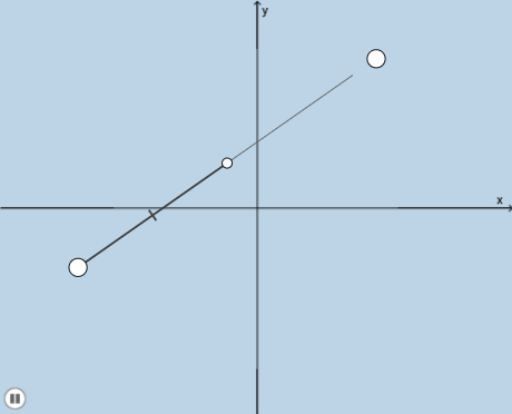
Loading the math board and drawing, please wait…
This example demonstrates the process of creating dynamic geometric shapes through geometric transformations such as translation, rotation, and dilation. Key mathematical concepts include geometric transformations, line segments, geometric mean, and linear functions. Using commands like Midpoint, Dilate, Segment, Rotate, etc., complex geometric shapes can be constructed. Suitable for middle school and above students or teachers for teaching purposes.
GeoGebra Commands & Parameters
Midpoint(A, B) → CDilate(A, If[0 < a ≤ 1, 1 - a, 0], C) → A'Dilate(C, If[1 < a ≤ 2, 2 - a, 0], B) → C'Segment(A, A') → jSegment(C, C') → kRotate(A, If[2 < a ≤ 3, ((a - 2) * π), π], C) → A'_1Rotate(A', If[2 < a ≤ 3, ((a - 2) * π), π], C) → A''Segment(A'_1, A'') → j'Intersect(i, l) → DIntersect(f, i) → EDilate(E, If[6 < a ≤ 7, 7 - a, 0], D) → E'Segment(E, E') → mDilate(D, If[7 < a ≤ 8, 8 - a, 0], B) → D'Segment(D, D') → nRotate(E, If[8 < a ≤ 9, ((a - 8) * π), π], D) → E'_1Rotate(E', If[8 < a ≤ 9, ((a - 8) * π), π], D) → E''Segment(E'_1, E'') → m'Dilate(B, If[10 < a ≤ 11, 11 - a, 0], D) → B'Dilate(E, If[10 < a ≤ 11, 11 - a, 0], D) → E'_2Vector(E, E'_2) → uVector(B, B') → vIntersect(f, p) → FIntersect(g, p) → GDilate(E, If[12 < a ≤ 13, 13 - a, 0], F) → E'_3Dilate(B, If[12 < a ≤ 13, 13 - a, 0], G) → B'_1Vector(E, E'_3) → wVector(B, B'_1) → bTranslate(D, w) → D'_1Vector(E'_3, D'_1) → cVector(B'_1, D'_1) → dDilate(A, If[6 < a ≤ 7, 7 - a, 0], F) → A'_2Segment(A, A'_2) → qDilate(F, If[7 < a ≤ 8, 8 - a, 0], E) → F'Segment(F, F') → rRotate(A, If[8 < a ≤ 9, ((a - 8) * π), π], F) → A'_3Rotate(A'_2, If[8 < a ≤ 9, ((a - 8) * π), π], F) → HSegment(A'_3, H) → q'Dilate(A, If[10 < a ≤ 11, 11 - a, 0], F) → A'_4Dilate(E, If[10 < a ≤ 11, 11 - a, 0], F) → E'_4Vector(A, A'_4) → sVector(E, E'_4) → tDilate(F, If[12 < a ≤ 13, 13 - a, 0], MIDPOINT) → IVector(F, I) → u_1Translate(A, u_1) → A'_5Vector(A'_5, I) → v_1Translate(E, u_1) → E'_5Vector(E'_5, I) → w_1Translate(F, u_1) → F'_1
AI Drawing Prompt Reference
Create a dynamic geometric shape by applying transformations such as translation, rotation, and dilation. Start by finding the midpoint C of line segment AB, then dilate point A around point C to get A', and dilate point C around point B to get C'. Connect A and A', and C and C'. Next, rotate point A around point C to get A'_1, and rotate point A' around point C to get A''. Connect A'_1 and A''. Continue with a series of dilations, rotations, and connections to form a complex geometric shape.
The prompt above was compiled from the original drawing commands and is for reference only.