
Geometric Reflection Exploration
Loading the math board and drawing, please wait…
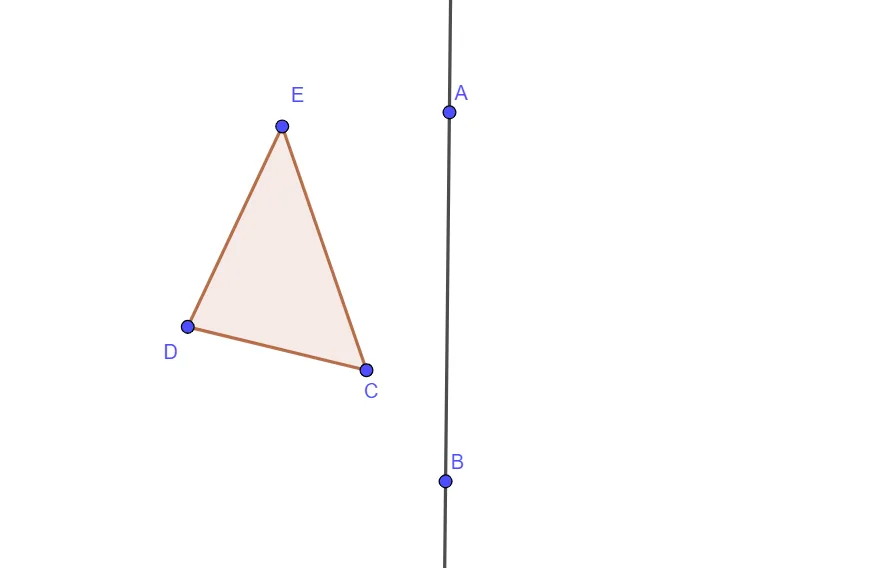
This GeoGebra example demonstrates how to construct polygons and explore their reflection transformations across a line. The core mathematical concepts include geometric reflection properties, coordinate changes after reflection, and axisymmetric characteristics. Construction details: Using the Line command to draw the axis of symmetry, the Polygon command to create polygon vertices (A, B, C, D, E, etc.), and reflection commands to generate symmetric figures while observing the positional relationships of corresponding points. Suitable for middle school to high school mathematics curricula, this example helps students understand axisymmetric concepts and master basic geometric transformation methods, serving as an intuitive demonstration tool for learning coordinate transformations in analytic geometry.
GeoGebra Commands & Parameters
Line(A, B) → fPolygon(C, D, E) → t1, e, c, d
AI Drawing Prompt Reference
Draw a line that will serve as the axis of reflection. Then choose several points in the plane and connect them to form an initial polygon. Using that same line, construct the reflected polygon on the opposite side so corresponding vertices appear as mirror images across the line. Emphasize the relationship between the original and reflected positions of the polygon’s vertices and the axisymmetric nature of the transformation, following a clear construction order: axis first, polygon next, reflection afterward.
The prompt above was compiled from the original drawing commands and is for reference only.