
Geometric Figure and Area Calculation Example
Loading the math board and drawing, please wait…
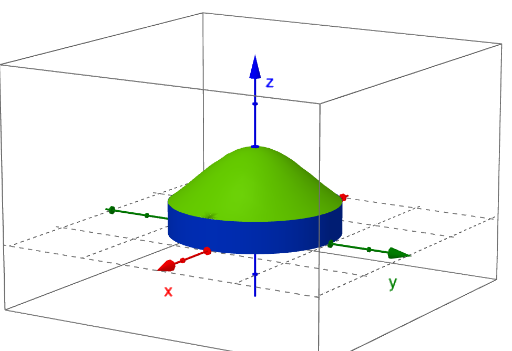
This example demonstrates geometric concepts like parallelograms, scatter plots, and area calculations using GeoGebra. Key mathematical concepts include area formulas, ratio relationships, and geometric construction techniques. Construction involves commands such as Surface, Textfield, Element, and Cylinder to build 3D graphics and add annotations. Suitable for middle school students learning geometry fundamentals or high school students reviewing coordinate geometry.
GeoGebra Commands & Parameters
Surface(xmin, (u * ymin(xmin)) + ((1 - u) * ymax(xmin)), (v * zmin(xmin, (u * ymin(xmin)) + ((1 - u) * ymax(xmin)))) + ((1 - v) * zmax(xmin, (u * ymin(xmin)) + ((1 - u) * ymax(xmin)))), u, 0, 1, v, 0, 1) → leftSurface(xmax, (u * ymin(xmax)) + ((1 - u) * ymax(xmax)), (v * zmin(xmax, (u * ymin(xmax)) + ((1 - u) * ymax(xmax)))) + ((1 - v) * zmax(xmax, (u * ymin(xmax)) + ((1 - u) * ymax(xmax)))), u, 0, 1, v, 0, 1) → rightTextfield(xmin) → textfield1Textfield(xmax) → textfield2Textfield(ymin) → textfield3Textfield(ymax) → textfield4Textfield(zmin) → textfield5Textfield(zmax) → textfield6Surface((u / 3 * xmin) + ((1 - u / 3) * xmax), (v / 3 * ymax((u / 3 * xmin) + ((1 - u / 3) * xmax))) + ((1 - v / 3) * ymin((u / 3 * xmin) + ((1 - u / 3) * xmax))), zmax((u / 3 * xmin) + ((1 - u / 3) * xmax), (v / 3 * ymax((u / 3 * xmin) + ((1 - u / 3) * xmax))) + ((1 - v / 3) * ymin((u / 3 * xmin) + ((1 - u / 3) * xmax)))), u, 0, 3, v, 0, 3) → upSurface((u / 3 * xmin) + ((1 - u / 3) * xmax), (v / 3 * ymax((u / 3 * xmin) + ((1 - u / 3) * xmax))) + ((1 - v / 3) * ymin((u / 3 * xmin) + ((1 - u / 3) * xmax))), zmin((u / 3 * xmin) + ((1 - u / 3) * xmax), (v / 3 * ymax((u / 3 * xmin) + ((1 - u / 3) * xmax))) + ((1 - v / 3) * ymin((u / 3 * xmin) + ((1 - u / 3) * xmax)))), u, 0, 3, v, 0, 3) → downElement(vdir, faces) → SelectvecCylinder((0, 0, 0), (0, 0, 0.37), 1) → b, c, d, e
AI Drawing Prompt Reference
Draw a parallelogram and calculate its area. First, set the coordinates of the parallelogram's vertices. Then, create the parallelogram using these coordinates. Next, add a scatter plot to show the vertex positions and calculate the area by multiplying the base and height. Finally, add annotations to explain the area calculation process.
The prompt above was compiled from the original drawing commands and is for reference only.