
Geometric determination of the centre of mass of a hollow bowl
Loading the math board and drawing, please wait…
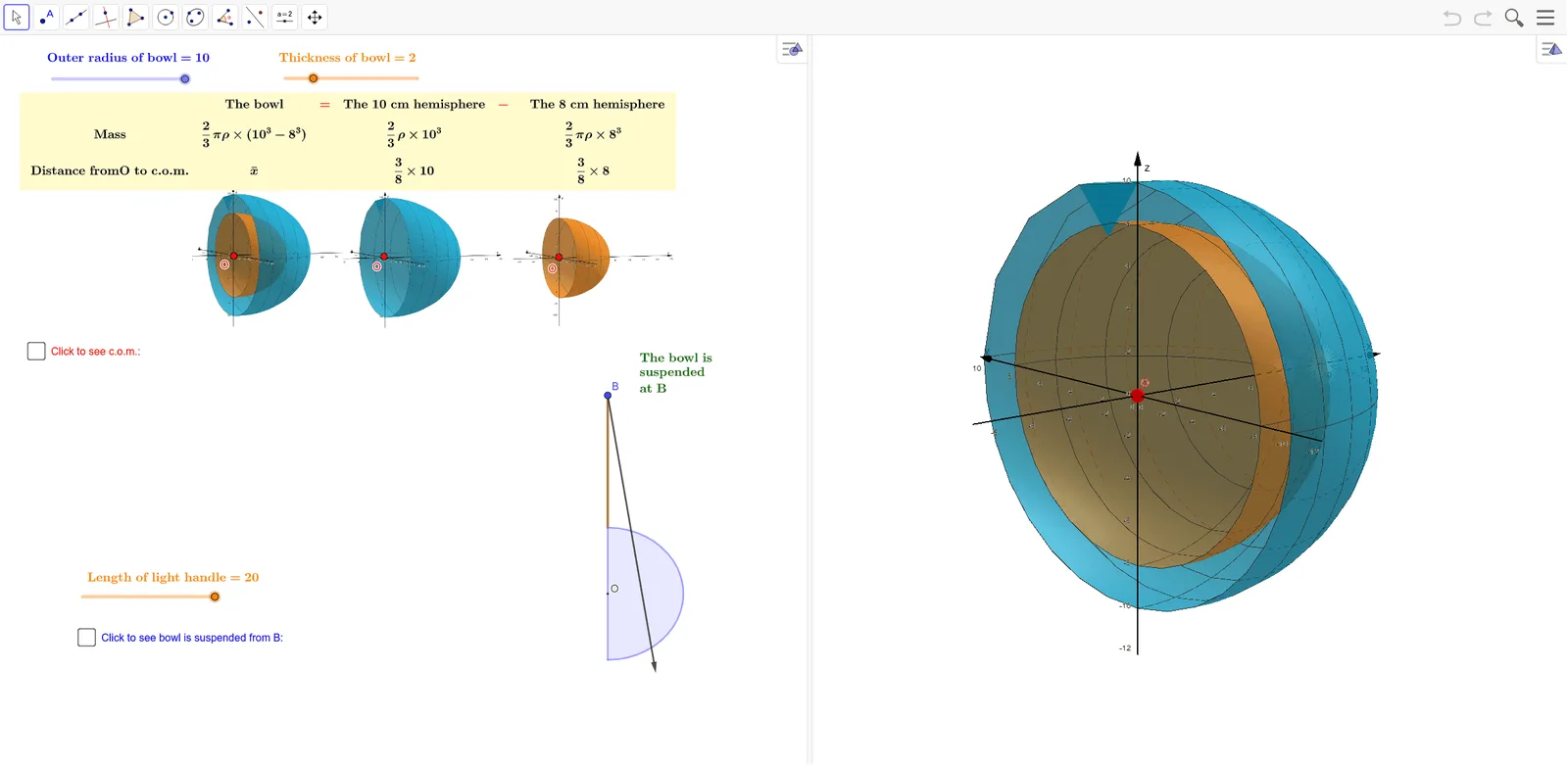
This GeoGebra example demonstrates how to find the centre of mass of a “hollow bowl” modeled as a thin ring-like (annular) region, using a geometric construction workflow. The example highlights key ideas in the definition of centre of mass for a distributed mass, symmetry arguments for thin annular shells, and parameterized positioning via angular variables. Construction emphasizes generating the bowl boundary with Circle and Surface, building auxiliary arcs/segments using Segment, Semicircle, and Ray, and representing important points and directions with Point and Vector. It further uses Angle together with Rotate to control orientation, OrthogonalLine to build perpendicular constraints, and Intersect plus Midpoint to compute decisive intersection/midpoint locations that lead to the mass-centre position. The activity is suitable for advanced secondary education and early university courses on geometry modeling and physics-math connections (centre of mass under symmetry).
GeoGebra Commands & Parameters
Surface(f, θ, xAxis) → aSurface(g, θ, xAxis) → bCircle(xAxis, A) → cCircle(xAxis, B) → dSegment(B, A) → hSegment(I, J) → lSemicircle(J, L) → pSegment(J, L) → mRay(I, M) → nPoint(n) → KVector(I, K) → uAngle(O, I, M) → αRotate(p, (-α), I) → p'Rotate(I, (-α), I) → I'Rotate(J, (-α), I) → J'Segment(I', J') → l'Rotate(O, (-α), I) → O'Rotate(M, (-α), I) → G'Rotate(J, (-α), I) → J'_1Rotate(L, (-α), I) → L'Segment(J'_1, L') → m'Segment(O', G') → qAngle(G', O', I) → βRotate(u, (-α), I) → u'Angle(O', I, O) → γOrthogonalLine(I, l') → sOrthogonalLine(O', m') → tOrthogonalLine(J', l') → f_1Point(s) → NOrthogonalLine(N, s) → g_1Intersect(g_1, f_1) → PIntersect(g_1, t) → QVector(N, P) → vVector(P, N) → wVector(P, Q) → u_1Vector(Q, P) → v_1Midpoint(N, P) → RMidpoint(P, Q) → SMidpoint(O', G') → T
AI Drawing Prompt Reference
Draw a geometric illustration showing how to find the center of mass of a hollow bowl modeled as a thin ring. Start by drawing two concentric circles to form the bowl's boundary and generate the bowl's surface. Construct auxiliary lines using segments, semicircles, and rays, marking key points and vectors. Use angles and rotations to control orientation, build perpendicular constraints with orthogonal lines, and compute decisive intersection and midpoint locations to determine the center of mass.
The prompt above was compiled from the original drawing commands and is for reference only.