
Geometric demonstration for finding the n-th term of an arithmetic progression
Loading the math board and drawing, please wait…
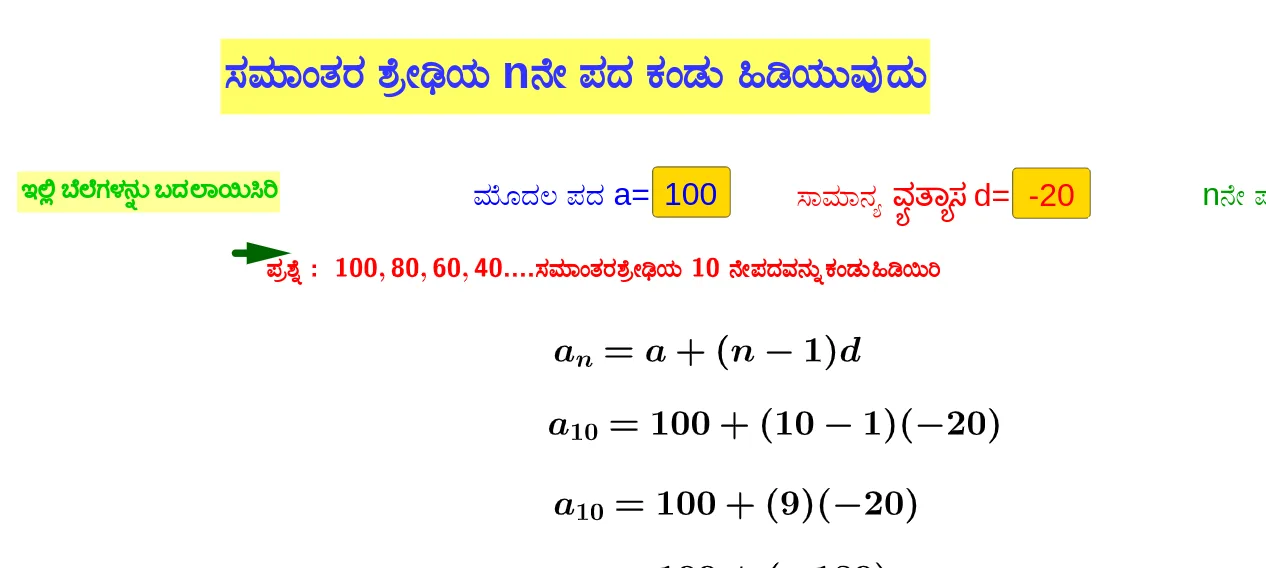
This example uses an interactive, geometry-based setup to demonstrate how to compute the n-th term of an arithmetic progression from the first term and the common difference. It centers on the arithmetic sequence concept and the general term a_n = a + (n − 1)d, with emphasis on how changing the parameter n updates the shown result. Construction-wise, the provided GeoGebra command summary indicates the use of Textfield and Vector, together with input controls (InputBox1, InputBox2, InputBox3) and parameters a, d, and n. Labeled text objects (text1–text9) and supporting geometric/vector elements such as A, B, u, b, c, and e are used to connect numerical values to a visual representation, making the step size and offset interpretable. Suitable for middle and high school math learning, classroom instruction, and practice on sequence formulas and interactive verification.
GeoGebra Commands & Parameters
Textfield(a) → InputBox1Textfield(n) → InputBox3Textfield(d) → InputBox2Vector(A, B) → u
AI Drawing Prompt Reference
Create a geometric illustration showing how to compute the n-th term of an arithmetic sequence using the first term and common difference. Include three input boxes for the first term, common difference, and term number, a vector representing the difference between the first and second terms, and text labels displaying the calculated result and parameter values. Make the n-th term value dynamically update as the term number slider is moved to visually demonstrate the general formula a_n = a + (n-1)d.
The prompt above was compiled from the original drawing commands and is for reference only.