
The Fly and Trains Problem: Vector Speeds, Piecewise Motion, and Limits
Loading the math board and drawing, please wait…
In collections
The Domain of the Time (intuitive kinematics)
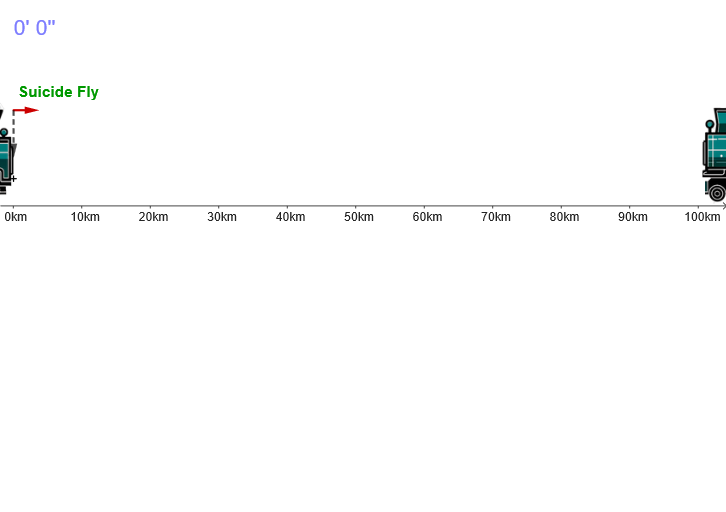
This GeoGebra example uses animation to visualize the “fly and trains” motion, showing how positions evolve over time under prescribed speed and direction conditions, emphasizing the limit/convergence intuition behind the chasing/approaching behavior. It is built around 2D vectors (Vector) to represent velocity fields (v, vTrain, vel, u), geometric transformation ideas (transformations/parallelogram-style vector composition), and iterative reasoning indexed by natural numbers (Números Naturales) leading to sequences/series and limits (Sucesiones y Series, Límites). Construction highlights from the command/object list: Vector to create and control the relevant direction/velocity vectors (v, vTrain, T1/T2-related objects, and M); time-parameter control for the animation loop (anima, t, dt, t0, t1, tt, tPause, tPauseAux, animation, para); two trains with distinct motion components (Train1/Train2 and tren1/tren2); and on-canvas annotations (texto1–texto6). Suitable for advanced secondary students and early university learners to understand limits visually, model motion with vectors, and connect sequences/series ideas to geometric dynamics.
GeoGebra Commands & Parameters
Vector(M + (0, 10), M + (0, 3)) → u
AI Drawing Prompt Reference
Draw a graphic showing the motion of a fly and trains. Two trains move at different speeds and directions, while the fly chases them at a constant speed. The graphic should illustrate how positions change over time, emphasizing limit and convergence concepts. Use vectors to represent speeds and directions, and add annotations to highlight key points. The construction order: first draw the positions of the trains and fly, then add speed vectors, and finally show the animation effect.
The prompt above was compiled from the original drawing commands and is for reference only.