
Geometric Construction of the French Corporate Responsibility Logo
Loading the math board and drawing, please wait…
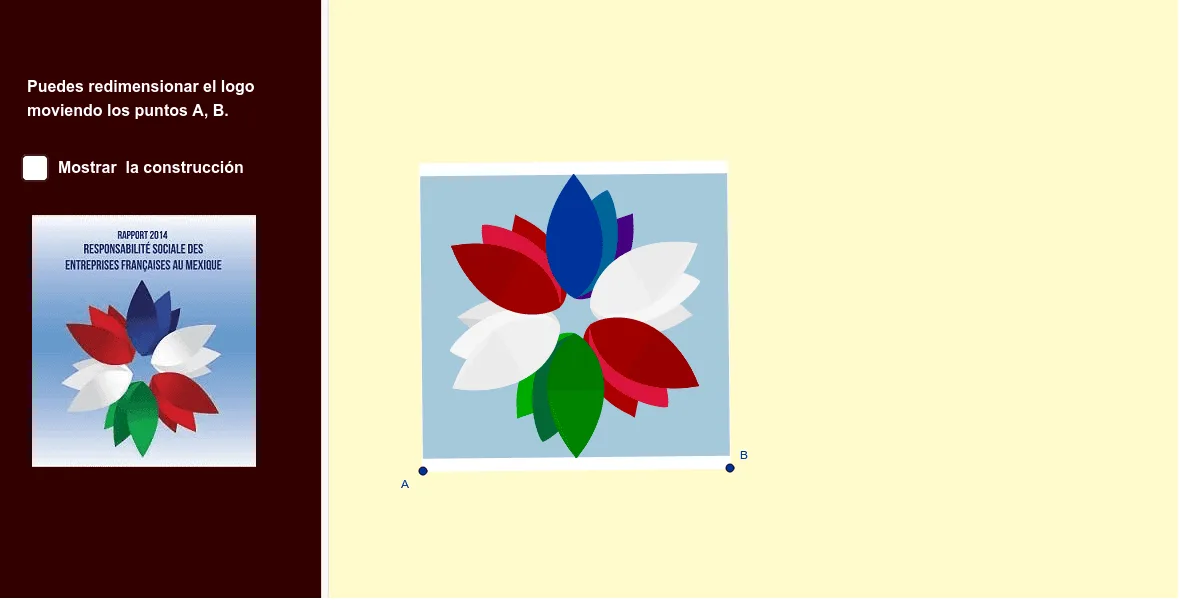
This example demonstrates how to construct a corporate responsibility logo using geometric transformations and function curves, turning an abstract brand symbol into a precise mathematical drawing. The core mathematical concepts include 2D vectors, rotation, translation, reflection, properties of triangles and rhombi, median lines, hyperbolas, and parametric curves. The construction uses GeoGebra commands such as Line, OrthogonalLine, LineBisector, Vector, OrthogonalVector, Mirror, Intersect, Rotate, Midpoint, Polygon, Circle, CurveCartesian, and CircleArc, involving objects like A, B, s, b, m, u, v, I, h, C, d, h', N, B_1, O, E, C_1, E_1, O', O'', O''', G, G', q_2, N'_1, p_2, V, W, a, R, Q, A_2, K, K', K'', K''', P, P', T, S. It integrates geometric relations and algebraic curves to achieve symmetry and layering in the logo. Suitable for high school and above, it serves as a comprehensive application of geometric transformations, vector operations, and function graphing, and can be used as an interdisciplinary teaching case combining mathematics and design.
GeoGebra Commands & Parameters
Line(A, B) → sOrthogonalLine(A, s) → bLineBisector(A, B) → mVector(A, B) → uOrthogonalVector(u) → vOrthogonalLine(I, b) → hLineBisector(A, C) → dMirror(h, d) → h'Intersect(m, h') → NIntersect(m, d) → ERotate(B_1, (-(20°)), E) → C_1Rotate(C_1, (-(20°)), E) → E_1Rotate(O, (-(15°)), E) → O'Rotate(O', (-(60°)), E) → O''Rotate(O'', (-(60°)), E) → O'''Rotate(O''', (-(60°)), E) → GRotate(G, (-(60°)), E) → G'OrthogonalLine(G', b) → q_2Rotate(N, (-(60°)), E) → N'_1LineBisector(E_1, N'_1) → p_2OrthogonalLine(V, s) → aRotate(A_2, (-(30°)), E) → KRotate(K, (-(60°)), E) → K'Rotate(K', (-(60°)), E) → K''Rotate(K'', (-(60°)), E) → K'''Rotate(K''', (-(60°)), E) → PRotate(P, (-(60°)), E) → P'Intersect(h, m) → SOrthogonalLine(C, v, xOyPlane) → fIntersect(f, m) → UMidpoint(C, A) → JOrthogonalLine(M, d) → iMirror(i, m) → i'OrthogonalLine(B, u, xOyPlane) → gIntersect(g, f) → DMirror(M, m) → M'Midpoint(E, M') → LIntersect(g, h') → A_1Polygon(A, B, D, C) → q11, a_3, b_2, d_2, c_3Circle(E, N) → cCircle(E, O) → kOrthogonalLine(F, b) → jOrthogonalLine(V, a) → eRotate(N, 60°, E) → N'Rotate(N', 60°, E) → N''Rotate(N'', 60°, E) → N'''Rotate(N'_1, (-(60°)), E) → J_1Circle(E, A_2) → pRotate(G', (-(60°)), E) → G''CurveCartesian(((1 - t)^(4) * N) + (((4 * (1 - t)^(3)) * t) * Q) + (((6 * (1 - t)^(2)) * t^(2)) * T) + (((4 * (1 - t)) * t^(3)) * R) + (t^(4) * W), t, 0, 1) → nMirror(n, m) → n'Rotate(n, (-(60°)), E) → n'_1Rotate(n', (-(60°)), E) → n''Rotate(n'_1, (-(60°)), E) → lRotate(n'', (-(60°)), E) → n'''Rotate(l, (-(60°)), E) → l'Rotate(n''', (-(60°)), E) → qRotate(q, (-(60°)), E) → q'Rotate(l', (-(60°)), E) → l''Mirror(q', d) → q''Mirror(l'', d) → l'''CurveCartesian(((1 - t)^(4) * O') + (((4 * (1 - t)^(3)) * t) * Q') + (((6 * (1 - t)^(2)) * t^(2)) * T') + (((4 * (1 - t)) * t^(3)) * R') + (t^(4) * W), t, 0, 1) → rLine(O', W) → tMirror(r, t) → r'Rotate(r, (-(60°)), E) → r'_1Rotate(r', (-(60°)), E) → r''Rotate(r'_1, (-(60°)), E) → wRotate(r'', (-(60°)), E) → r'''Rotate(r''', (-(60°)), E) → a_1Rotate(w, (-(60°)), E) → w'Rotate(a_1, (-(60°)), E) → b_1Rotate(w', (-(60°)), E) → w''Rotate(w'', (-(60°)), E) → w'''Rotate(b_1, (-(60°)), E) → c_1CurveCartesian(((1 - t)^(4) * K) + (((4 * (1 - t)^(3)) * t) * Q'_1) + (((6 * (1 - t)^(2)) * t^(2)) * T'_1) + (((4 * (1 - t)) * t^(3)) * R'_1) + (t^(4) * W), t, 0, 1) → d_1Line(K, W) → f_1Mirror(d_1, f_1) → e_1Rotate(d_1, (-(60°)), E) → g_1Rotate(g_1, (-(60°)), E) → h_1Rotate(h_1, (-(60°)), E) → i_1Rotate(i_1, (-(60°)), E) → j_1Rotate(j_1, (-(60°)), E) → k_1Rotate(e_1, (-(60°)), E) → l_1Rotate(l_1, (-(60°)), E) → m_1Rotate(m_1, (-(60°)), E) → n_1Rotate(n_1, (-(60°)), E) → o_1Rotate(o_1, (-(60°)), E) → p_1Intersect(h', b) → ZMirror(I, m) → I'Polygon(Z, I, I', A_1) → q1, z_1, i_2, q_1, r_1Circle(E, B_1) → s_1Rotate(E_1, (-(40°)), E) → F_1Rotate(F_1, (-(20°)), E) → G_1Rotate(G_1, (-(40°)), E) → H_1Rotate(H_1, (-(60°)), E) → I_1Rotate(I_1, (-(60°)), E) → K_1Rotate(K_1, (-(60°)), E) → L_1Rotate(G_1, (-(60°)), E) → M_1Rotate(M_1, (-(60°)), E) → N_1Rotate(N_1, (-(60°)), E) → O_1Rotate(O_1, (-(60°)), E) → P_1Polygon(N', O_1, L_1) → t1, t_1, f_2, g_2Mirror(N', E) → N''_1Mirror(O_1, E) → Q_1Mirror(L_1, E) → R_1Polygon(N''_1, Q_1, R_1) → t1', h_2, n''_1, j_2Rotate(W, (-(60°)), E) → W'Rotate(W, (-(120°)), E) → W'_1Rotate(W', (-(120°)), E) → W''Rotate(W', (-(180°)), E) → W''_1Rotate(W''_1, (-(60°)), E) → S_1Polygon(E_1, F_1, N'_1) → t2, k_2, l_2, m_2Mirror(E_1, E) → T_1Mirror(F_1, E) → U_1Mirror(N'_1, E) → V_1Intersect(p_2, q_2) → W_1Polygon(T_1, U_1, V_1) → t2', v_1, n_2, u_1CircleArc(W_1, N'_1, E_1) → c_2LineBisector(E_1, F_1) → r_2Mirror(c_2, r_2) → e_2Mirror(c_2, E) → s_2Mirror(e_2, E) → t_2Mirror(c_2, m) → d_3Mirror(e_2, m) → e_3Mirror(d_3, E) → f_3Mirror(e_3, E) → g_3Polygon(I_1, M_1, S) → t3, s_3, a_2, h_3Rotate(g_3, (-(60°)), E) → k_3Mirror(k_3, m) → p_3
AI Drawing Prompt Reference
Draw a symmetric geometric logo. Start with a horizontal baseline and a perpendicular line through its left endpoint, plus a perpendicular bisector of the two endpoints. Use the intersection of the bisector and the perpendicular as a rotation center, and rotate several points counterclockwise by 20, 60, and other angles to create layered symmetry. Connect key points to form a rhombus, and draw two concentric circles centered at its center. From the rhombus vertices, drop perpendiculars to the baseline, intersecting a slanted line. Then rotate these intersection points around the center to generate multiple symmetric sets. Finally, connect some points with smooth curves to suggest hyperbolic arcs, achieving a balanced, layered geometric design.
The prompt above was compiled from the original drawing commands and is for reference only.