
Geometric Construction for Adding Mixed Numbers
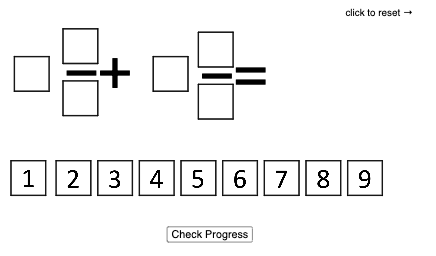
Loading the math board and drawing, please wait…
This GeoGebra example visualizes how to add mixed numbers by using plane-geometry constructions that split and combine figures. It centers on the relationship between the integer part and the fractional part of a mixed number, as well as fraction interpretation through equal partitioning and measurement ideas (e.g., length/area correspondences). The construction is built by creating multiple polygons with the Polygon command (as reflected in the construct summary, including objects such as poly0, poly3, poly7, and others), along with numerous points and auxiliary objects (e.g., K_1, A0–A9, B, C, H, P, E, G, n) to precisely position edges and proportions. The result is suitable for classroom demonstration and guided practice in middle school, helping learners develop conceptual understanding of fraction operations before moving to purely symbolic computation.
GeoGebra Commands & Parameters
Polygon(A0, B, 4) → poly0, f, g, h, i, A, CPolygon(A3, H, 4) → poly3, j, k, l, m, E, GPolygon(A7, P, 4) → poly7, n, p, q, r, I, KPolygon(A1, D, 4) → poly1, s, t, a, b, M, OPolygon(A6, N, 4) → poly6, c, d, e, f_1, Q, SPolygon(A2, K_1, 4) → poly2, k_1, l_1, m_1, n_1, W, ZPolygon(A8, A8 + (2, 0), 4) → poly8, g_1, h_1, i_1, j_1, U, VPolygon(A9, T, 4) → poly9, p_1, q_1, r_1, s_1, A_1, B_1Polygon(A4, J, 4) → poly4, t_1, a_1, b_1, c_1, C_1, D_1Polygon(A5, L, 4) → poly5, d_1, e_1, f_2, g_2, E_1, F_1Polygon(G_1, H_1, 4) → poly10, h_2, i_2, j_2, k_2, I_1, J_1Polygon(G_2, H_2, 4) → poly11, h_3, i_3, j_3, k_3, I_2, J_2Polygon(G_3, H_3, 4) → poly12, h_4, i_4, j_4, k_4, I_3, J_3Polygon(G_4, H_4, 4) → poly13, h_5, i_5, j_5, k_5, I_4, J_4Polygon(G_5, H_5, 4) → poly14, h_6, i_6, j_6, k_6, I_5, J_5Polygon(G_6, H_6, 4) → poly15, h_7, i_7, j_7, k_7, I_6, J_6Polygon(G_7, H_7, 4) → poly16, h_8, i_8, j_8, k_8, I_7, J_7Polygon(G_8, H_8, 4) → poly17, h_9, i_9, j_9, k_9, I_8, J_8Polygon(G_9, H_9, 4) → poly18, h_{10}, i_{10}, j_{10}, k_{10}, I_9, J_9Polygon(G_{10}, H_{10}, 4) → poly19, h_{11}, i_{11}, j_{11}, k_{11}, I_{10}, J_{10}
AI Drawing Prompt Reference
Draw a geometric figure representing the addition of two mixed numbers. Start by drawing two figures for each mixed number, each consisting of an integer part and a fractional part, using polygons to represent each part. Then combine the two figures to form a new mixed number figure, showing the addition process. Use the Polygon command to draw multiple polygons, precisely representing the proportions and positions of each part.
The prompt above was compiled from the original drawing commands and is for reference only.