
Geometric Construction for a Rod Rolling on a Circle
Loading the math board and drawing, please wait…
In collections
Probability Applets
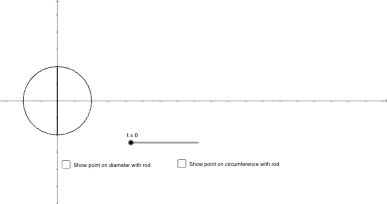
This example demonstrates how a rod rolling along a circle can be modeled with a dynamically updated geometric construction, revealing relationships among key points, angles, and lengths during the rolling motion. The central ideas include similarity transformation (for matching proportional geometric features), conic-section/tangent reasoning (imposed through tangency-like constraints in the construction), and vector-style correspondence of directions through associated points. A parameter t drives the motion, while the construction is built from basic circle/segment primitives. In GeoGebra it is realized using the commands Circle (to create the circle(s) and auxiliary circles), Segment (to form required line segments), Semicircle (to add half-arc constraints), Intersect (to compute intersection points that anchor the rolling configuration), and CircleArc (to display the relevant arcs/paths). The scene contains multiple constructed objects and labeled points (including parameter t and several derived points such as A, B, C, F, I, J, K) that update consistently to visualize the rolling behavior. Suitable for advanced secondary math, contest-oriented modeling, and interactive classroom demonstrations of parameterized geometry with similarity and tangency constraints.
GeoGebra Commands & Parameters
Circle(A_{1}, 1) → cSegment(B_{1}, C_{1}) → fSemicircle(B_{1}, C_{1}) → dIntersect(c, g) → A, B_{2}Segment(B_{2}, A) → hSegment(B_{1}, M) → iIntersect(c, p) → F, ISegment(I, F) → jCircleArc(A_{1}, B, B_{1}) → eSegment(D, E) → qSegment(G, H) → r
AI Drawing Prompt Reference
Draw a circle with radius 1 and a fixed center. Place a rod as a line segment outside the circle, with one endpoint connected to a point outside the circle and the other endpoint sliding on the circle. Using the rod as diameter, construct a semicircle that intersects the circle at two points; connect these points to form a chord. Draw an auxiliary segment from the circle's center to a point on the rod, and another segment that intersects the circle, taking its intersection points to form another chord. On the circle, draw an arc representing the path swept by the rod during rolling. Finally, connect other auxiliary points with line segments to show how positions change during motion. The overall figure includes a circle, a rolling rod, a semicircle, several chords and auxiliary segments, and a slider to control the rolling parameter.
The prompt above was compiled from the original drawing commands and is for reference only.