
GeoGebra Geometric Construction and Trigonometry Application by Tim Brzezinski (2)
Loading the math board and drawing, please wait…
In collections
Special Right Triangle (2): Thinking Classroom Exploration
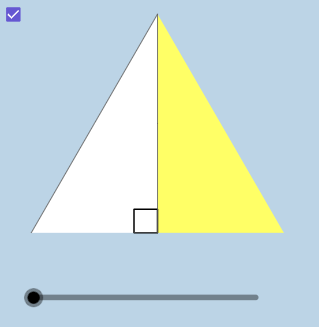
This example demonstrates how to use GeoGebra to construct geometric figures and apply trigonometric concepts. Key mathematical concepts include triangles, circles, trigonometry, and geometric construction techniques. Construction involves using commands like Center, Rotate, Intersect, and objects such as Midpoint, Angle, and Polygon. Suitable for middle school students to learn basic applications of geometry and trigonometry.
GeoGebra Commands & Parameters
Center(c) → ARotate(B, pi / 3, A) → B'_1Intersect(h, i) → CMidpoint(A, B'_1) → JRotate(B, pi / 4, A) → B'_2Angle(B, A, B'_2) → γIntersect(g, i) → DPolygon(A, D, B'_2) → poly2, b'_2, a_2, dPolygon(A, C, B'_1) → poly3, b'_1, a_3, c_1Dilate(A, If[0 < a ≤ 1, 1 - a, 0], J) → A'_1Segment(A, A'_1) → kDilate(J, If[1 < a ≤ 2, 2 - a, 0], B'_1) → F'CircleArc(A, B'_1, B) → pTextfield(r) → InputBox1Segment(J, F') → mMidpoint(C, B'_1) → KDilate(C, If[0 < a ≤ 1, 1 - a, 0], K) → C'Dilate(K, If[1 < a ≤ 2, 2 - a, 0], B'_1) → K'Segment(C, C') → jSegment(K, K') → lAngle(B'_1, C, A) → αDilate(A, If[2 < a ≤ 3, 3 - a, 0], C) → A'Segment(A, A') → nRotate(A, If[3.5 < a ≤ 4.5, ((a - 3.5) * pi / 3), pi / 3], A) → A'_3Rotate(A', If[3.5 < a ≤ 4.5, ((a - 3.5) * pi / 3), pi / 3], A) → A''Segment(A'_3, A'') → n'Rotate(A'_3, If[4.5 < a ≤ 5.5, ((a - 4.5) * pi), pi], J) → FRotate(A'', If[4.5 < a ≤ 5.5, ((a - 4.5) * pi), pi], J) → A'''Segment(F, A''') → n''CircleArc(A, B, B'_1) → qRotateText(text4, ((-pi)) / 2) → text6Mirror(A, j) → A'_{2}Mirror(C, j) → C'_{1}Mirror(B'_1, j) → EPolygon(A'_{2}, C'_{1}, E) → poly3', e, a'_{2}, c'_{1}Mirror((0, 0), A') → GRotate((0, 0), (-(pi / 3)), G) → HMirror(F, l) → F'_{1}Mirror(A''', l) → ISegment(F'_{1}, I) → n'''Mirror(A'_3, j) → LMirror(A'', j) → A'''_{1}Segment(L, A'''_{1}) → n''_{1}Mirror(A, j) → A'_{4}Mirror(A', j) → A''_{1}Segment(A'_{4}, A''_{1}) → n'_{1}
AI Drawing Prompt Reference
Create a geometric composition starting with a circle and its center point. Construct two rotated points around the center at 60 and 45 degrees respectively, forming special angles. Build two triangles using the center, these rotated points, and intersection points. Add angle annotations showing 45 degrees. Connect line segments through midpoints and create multiple mirror symmetric figures. Draw circular arcs passing through the center and rotated points. The overall composition includes multiple triangles, line segments, circular arcs, and angle markings forming a symmetrical geometric pattern.
The prompt above was compiled from the original drawing commands and is for reference only.