
GeoGebra App API Event Listeners Tutorial: RemoveListener and ClickListener
Loading the math board and drawing, please wait…
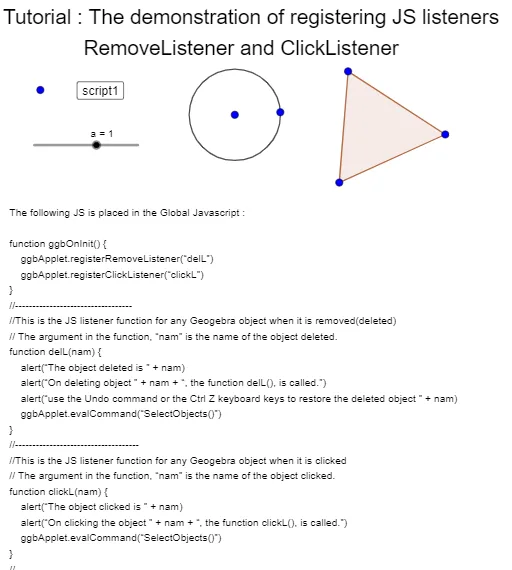
This example demonstrates how to register and use JavaScript Event Listeners (RemoveListener and ClickListener) via the GeoGebra App API for interactive operations. It involves core math concepts like event handling and geometric object interaction. Key constructions include commands like Circle and Polygon, and objects such as button1, A, B for event binding. Suitable for high school and above learners to understand API interaction programming and dynamic geometric demonstrations.
GeoGebra Commands & Parameters
Circle(B, C) → cPolygon(D, E, F) → t1, f, d, e
AI Drawing Prompt Reference
Draw a circle with its center at one point and passing through another point. Then construct a triangle using three distinct points. The figure is intended for interactive demonstrations, such as responding to clicks or removing event listeners. Include a button to trigger or remove event handling. Arrange the circle and triangle clearly to show their spatial relationship and emphasize event-driven dynamic geometry.
The prompt above was compiled from the original drawing commands and is for reference only.