
Generate a Surface with an Arbitrary Plane
Loading the math board and drawing, please wait…
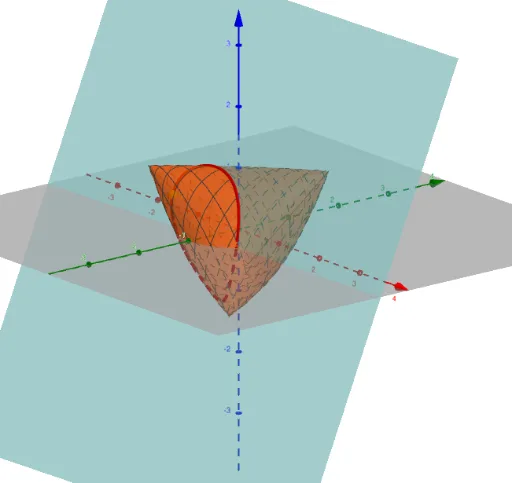
This example demonstrates how to generate a surface using an arbitrary plane. Key mathematical concepts include surface, locus, and functions. Using GeoGebra commands such as Surface, IntersectPath, Point, and Locus, complex geometric shapes can be constructed. Suitable for high school and above students or teachers.
GeoGebra Commands & Parameters
Surface(cos(u), cos(v), cos(u + v), u, 0, (2 * π), v, 0, π) → supIntersectPath(g, f) → hPoint(h) → ALocus(B, A) → Lloc1
AI Drawing Prompt Reference
Create a surface generated by an arbitrary plane using cosine functions. First, draw the surface defined by cos(u), cos(v), cos(u + v) with u ranging from 0 to 2π and v from 0 to π. Then find the intersection line between the surface and the plane. Next, pick a point A on this line. Finally, construct the locus of point A as point B moves along the line.
The prompt above was compiled from the original drawing commands and is for reference only.