
Game 8: Rotating Vectors
Loading the math board and drawing, please wait…
In collections
Statistics Games
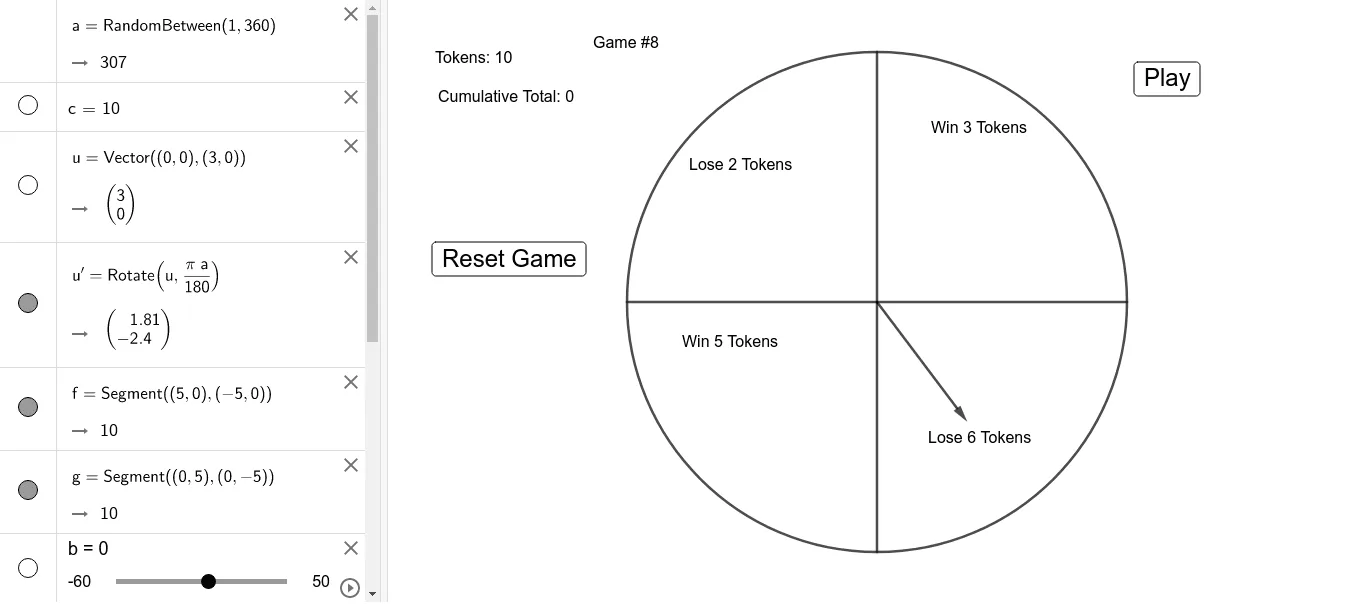
This example demonstrates how to use the Rotate command in GeoGebra to create dynamic vector graphics. Key mathematical concepts include vectors and rotation. Using commands like Vector, Rotate, and Segment, users can create a dynamic vector graphic. Suitable for high school mathematics education and learning vector transformations.
GeoGebra Commands & Parameters
Random(1, 360) → aVector((0, 0), (3, 0)) → uRotate(u, ((π * a)) / 180) → u'Segment((5, 0), (-5, 0)) → fSegment((0, 5), (0, -5)) → gCircle((0, 0), 5) → d
AI Drawing Prompt Reference
Draw a circle centered at the origin with radius 5. Add a horizontal diameter line and a vertical diameter line crossing at the origin. From the origin, draw a vector of length 3 pointing to the right. Randomly choose an angle between 0 and 360 degrees, then rotate this vector around the origin by that angle, creating a new vector. Represent the rotated vector as a segment from the origin to its new endpoint. The figure illustrates vector rotation dynamically.
The prompt above was compiled from the original drawing commands and is for reference only.