
G_9.04 Pyramids and cones_1
Loading the math board and drawing, please wait…
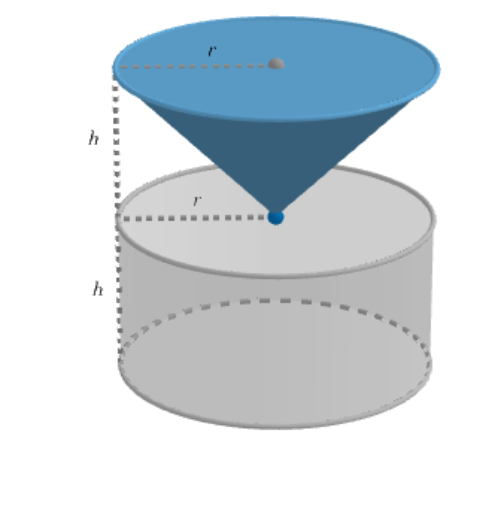
This example demonstrates constructing pyramids and cones using GeoGebra. Key mathematical concepts include solid geometry, coordinate geometry, and geometric transformations. Construction involves commands like Point, Intersect, Line, Cone, and tools such as OrthogonalLine and Midpoint. Suitable for high school students or college freshmen learning solid geometry and geometric transformations.
GeoGebra Commands & Parameters
Point(zAxis) → BIntersect(yAxis, zAxis) → APoint(zAxis) → CLine(A, C) → fCone(N, B, 1) → b_4, b_2, b_3Cylinder(A, B, 1) → a_2, c, d, eCylinder(A, H, 1) → g, h, k, iPlane(D, xOyPlane) → pIntersectPath(p, b_4) → qSegment(D, B) → jCone(q, (-j)) → n, n_2, n_3Plane(E, xOyPlane) → rIntersectPath(r, b_4) → sSegment(E, D) → mCone(s, w) → a_1, c_1, b_1Cylinder(H, J, 1) → u, u_2, u_3, u_4Plane(F, xOyPlane) → p_1IntersectPath(p_1, b_4) → d_1Segment(F, B) → f_1Cone(d_1, (-f_1)) → j_1, j_2, j_3Cylinder(J, G, 1) → t, e_1, g_1, h_1Point(b_2) → IOrthogonalLine(I, xOyPlane) → k_1Point(k_1) → KMidpoint(I, K) → LSegment(I, L) → l_1Segment(L, K) → m_1Line(K, A) → q_1OrthogonalLine(A, q) → r_1OrthogonalLine(I, r_1, space) → s_1Intersect(s_1, r_1) → MSegment(I, M) → t_1Point(l_1) → OLine(O, t_1) → f_2OrthogonalLine(N, f_2, space) → g_2Intersect(g_2, f_2) → PIntersect(g_2, f_2) → QIntersect(f_2, g_2) → RSegment(O, P) → h_2
AI Drawing Prompt Reference
In a 3D coordinate space, choose a vertical axis and another axis perpendicular to it, and set a vertex at their intersection. Mark two points on the vertical axis to form a second vertical reference line, connect the vertex to a point on that line to define a key direction line, then construct multiple cone and cylinder surfaces of radius 1 using these directions. Introduce several planes parallel to the horizontal reference plane, intersect each plane with the previously created cone surfaces to obtain spatial intersection curves, and from those curves generate additional cones using corresponding opposite directions for symmetry. Add visible edges by drawing segments determined by intersections between the cylinders and the cones, and use these to highlight the main silhouette and cross-sections.
The prompt above was compiled from the original drawing commands and is for reference only.