
From Cylinder to Sphere: A Geometric Transformation Demo
Loading the math board and drawing, please wait…
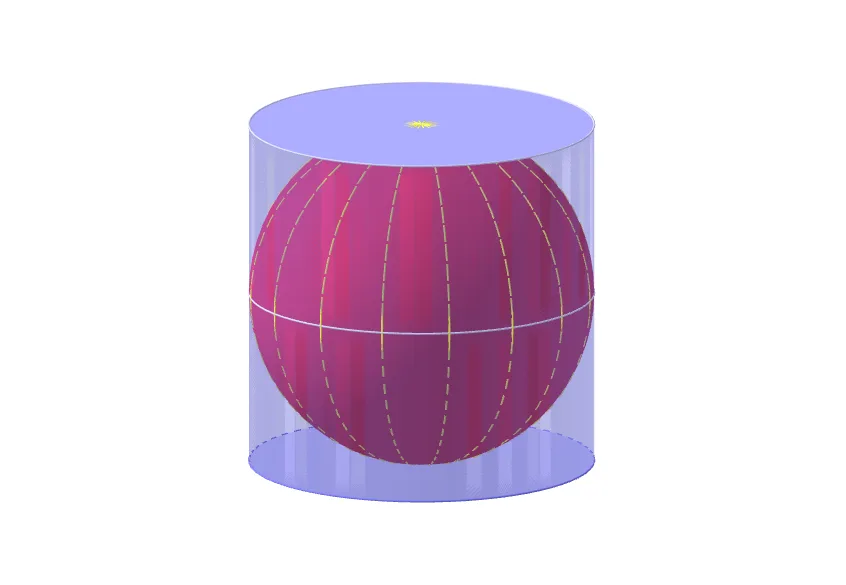
① This example demonstrates the continuous transformation of a cylinder into a sphere using dynamic geometry, making the relationship between 3D solids visually intuitive. ② Core mathematical concepts include solid geometry (cylinder and sphere), geometric transformations such as mirroring and rotation, volume calculation, and the use of sequences and sums for constructing intermediate shapes. ③ Construction highlights: The GeoGebra commands used are Vector, Sequence, Sphere, Mirror, Volume, Sum, Line, Circle, and Cylinder, with objects including R, k, E_1, E_2, u, v, l1, a, l2, l5, l3, b, l3', l5', c, d, e, f, text1, text2, l6, g, h, p, i, q, and j. These elements are combined to create a parameter-driven morphing effect. ④ This is suitable for high school or early college students studying solid geometry and transformations, and is also valuable for math lab activities or inquiry-based learning to enhance spatial reasoning and conceptual understanding.
GeoGebra Commands & Parameters
Vector(E_1, (0, 0, 0)) → uSequence(E_1 + (n * v), n, 0, k) → l1Sphere((0, 0, 0), R) → aSequence(sqrt(R^(2) - abs(z(Element[l1, n]))^(2)), n, 1, k + 2) → l2Sequence(Circle[Element[l1, n], Element[l2, n + 1], u], n, 1, k + 1) → l5Sequence(Cylinder[Element[l5, n], Length[v]], n, 1, k + 1) → l3Mirror(l3, b) → l3'Mirror(l5, b) → l5'Volume(a) → cSum(l3, k) → dSum(l3', k) → eSequence(Circle[(0, 0, 0), R, Line[(0, 0, 0), (cos(t), sin(t), 0)]], t, 0, 6.28319, 0.39269908169872414) → l6Line((0, 0, 0), (0, 0, 1)) → hCircle((0, 0, (-R)), R, h) → pCylinder(p, (2 * R)) → i, q, j
AI Drawing Prompt Reference
Draw the continuous transformation from a cylinder to a sphere. Start by creating a cylinder, then generate a sequence of cylinders and circles through rotation and translation, ultimately forming a sphere. Use a slider to control the transformation process and observe the change in volume.
The prompt above was compiled from the original drawing commands and is for reference only.